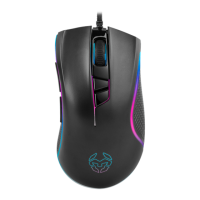
SPECIFICATIONS
∆ Sensor: Optical AVAGO 3050
∆ Resolution: 1000/1500/2000/3000/4000 dpi
∆ Buttons: 8
∆ Main switches: Omron
∆ Backlit color: RGB
∆ Connection: Gold plated USB
∆ Length of cord: 1.8 m
∆ Dimensions: 125 x 70 x 43 mm
∆ Weight: 120 ± 5 g
∆ Compatibility: Windows 7 / 8 / 8.1 / 10
SOFTWARE INSTALLATION
1. Plug USB connector of KROM KENON to a USB port of your PC
2. Download the software from www.kromgaming.com
2.1 Connect to the internet and enter www.kromgaming.com
2.2 Into the product sheet, the right side menu (downloads) click on “DRIVERS”
2.3 In this link you can download the Software.
3. Double click “setup.exe” to start the installation program.
4. Select the folder to save the software and click “next” to continue.
5. Installation run automatically: click “finish” to complete the installation.



 To Next Page