PAIRING AND CONNECTING THE GAMEPAD
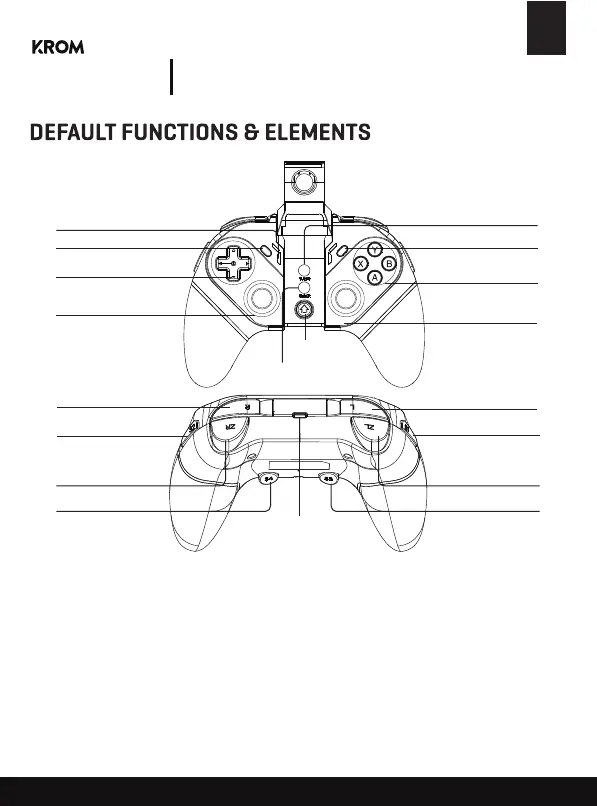
LED indicator
SELECT Button
D-Pad
Left Thumbstick
L3 Button
Turbo Button
START Button
A - B - X - Y Button
Right Thumbstick
R3 Button
R Button
S2 Button
ZR Button
S4 Button
L Button
HOME Button
CLEAR Button
TYPE-C Interface
S1 Button
ZL Button
S3 Button
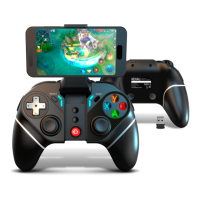
KEXAL
Advanced
Wireless Gamepad
Press and hold A + HOME at the same time for 3 seconds to enter V3 direct play mode
(Android), LED1 will flash fast, turn on the BT on your Android device, find and select "Krom
Kexal" to connect, LED1 will stay on after connecting successfully.
If the gamepad has been connected before, you can press HOME to reconnect, LED1 will flash
slowly, then it will reconnect automatically.
Android V3 Direct play mode:
EN


 To Next Page