INSTALACIÓN
WINDOWS
(
XP / VISTA / 7 / 8 / 8.1 / 10
)
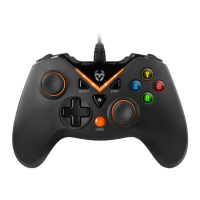
¬ Conecta Krom Key a tu PC mediante su conexión USB.
¬ El dispositivo estará conectado correctamente cuando se ilumine el indicador LED2.
¬ Si tu PC no detectara el dispositivo, descarga e instala los controladores de este producto
desde su ficha en www.kromgaming.com.
¬ Cambio entre modos (X-input / Direct-input)
Para cambiar entre modos, mantenga presionado el botón Inicio durante 5 segundos.
X-input: el indicador LED2 se iluminará.
Direct-input: el indicador LED1 se iluminará.
¬ Para cambiar entre los modos digital y analógico en Direct-input, pulsa el botón Inicio.
Modo digital: se iluminará LED1. Modo analógico: se iluminarán LED1 y LED2.
SONY PLAYSTATION 3
¬ Conecta Krom Key a tu PlayStation 3 mediante su conexión USB.
¬ El dispositivo estará conectado correctamente cuando se ilumine el indicador LED1.
ANDROID
(
4.2 Y SUPERIOR
)
¬ Conecta Krom Key a tu dispositivo Android mediante su conexión Micro-USB.
¬ El dispositivo estará conectado correctamente cuando se iluminen los indicadores LED2 y
LED3.
¬ Nota: tu dispositivo Android debe ser compatible con la función USB OTG.


 To Next Page