INSTALLATION
WINDOWS
(
XP / VISTA / 7 / 8 / 8.1 / 10
)
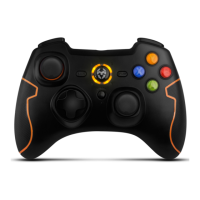
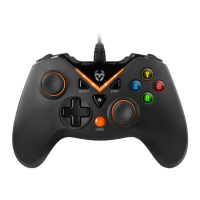
¬ Connect Krom Key to your PC with the USB plug.
¬ When LED2 lights up, the gamepad will be successfully connected.
¬ If, by any chance the gamepad is not detected, please download and install the drivers
from this product’s sheet at www.kromgaming.com.
¬ Mode switch (X-input / Direct-input)
To change between modes press and hold the Home button for about 5 seconds.
X-input: LED2 lights up.
Direct-input: LED1 lights up.
¬ Under Direct-input, to switch between digital and analog modes, press the Home
button. Digital mode: LED1 lights up. Analog mode: LED1 and LED2 lights up.
SONY PLAYSTATION 3
¬ Connect Krom Key to your PlayStation 3 with the USB plug.
¬ When LED1 lights up, the gamepad will be successfully connected.
ANDROID
(
4.2 AND SUPERIOR
)
¬ Connect Krom Key to your Android device with the Micro-USB plug.
¬ When LED2 and LED3 lights up, the gamepad will be successfully connected.
¬ Note: Android device must support USB OTG function.


 To Next Page