KHAIDO FUNCTION KEY SHORTCUTS
4) LIGHTING ADVANCED CUSTOMIZATION
Set Khaido to Custom mode (press FN + Print Screen keys until keyboards lighting is set to a fixed, white color).
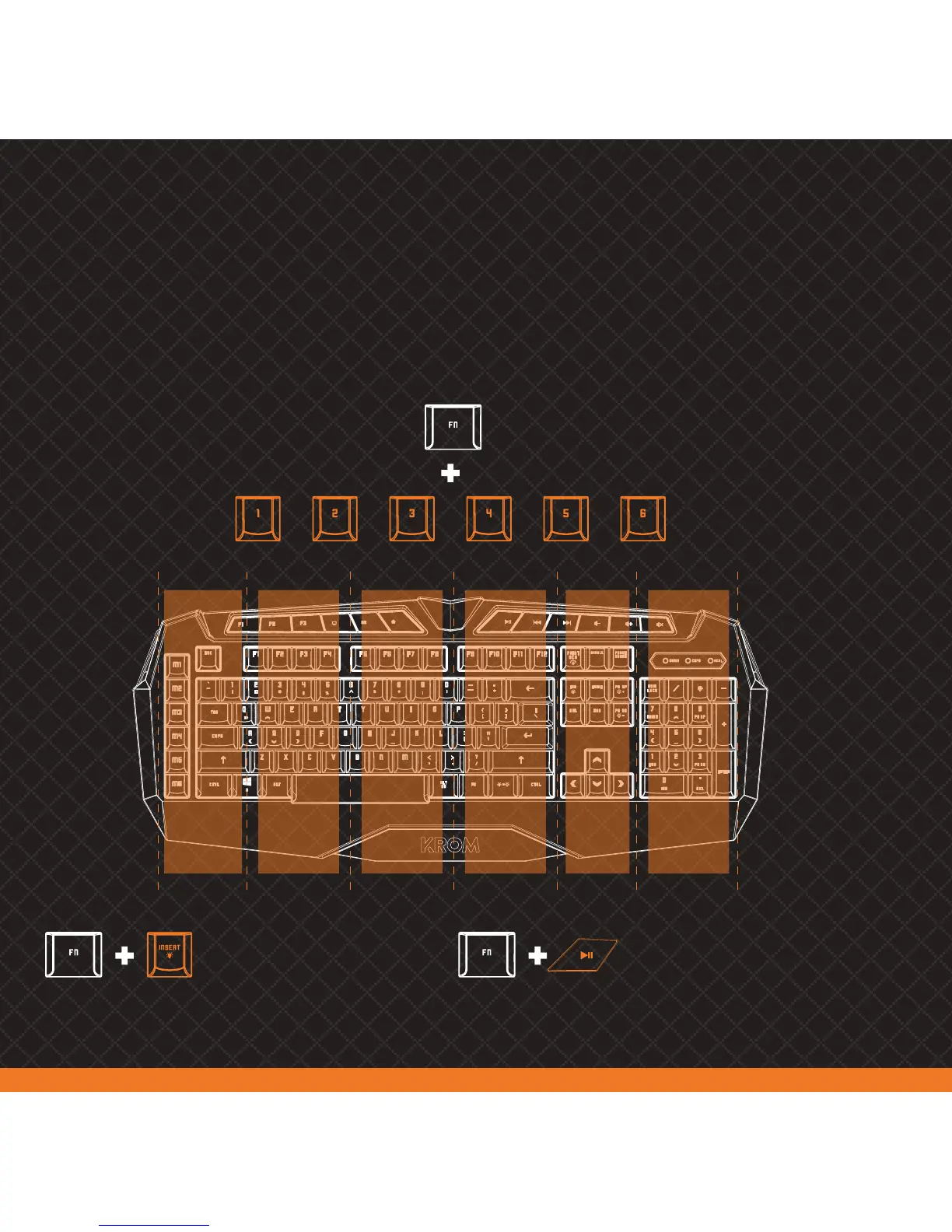
Once into Custom Mode, press FN + 1 to 6 keys to mark out a keyboard area:
FN + 1 Area FN + 2 Area FN + 3 Area FN + 4 Area FN + 5 Area FN + 6 Area
FN + 1 Area FN + 2 Area FN + 3 Area FN + 4 Area FN + 5 Area FN + 6 Area
Changes color lighting
within the selected area
Saves custom lighting
set by yourself



 To Next Page