EasyManua.ls Logo

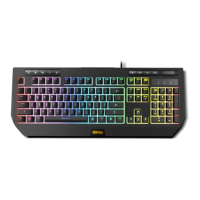
KROM KUMA - Keyboard Functionality Details; Keyboard Lighting Control Functions

KROM KUMA
8 pages
Print Icon
To Next Page IconTo Next Page
To Previous Page IconTo Previous Page
Loading...
KEYBOARD FUNCTIONS
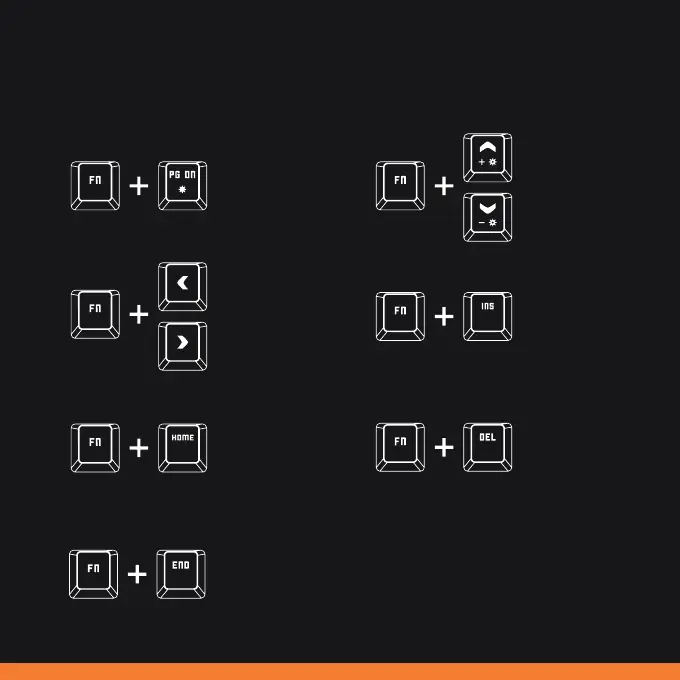
1) Lighting controls
Turns the light on / off.
Static rainbow mode.
Press once to activate
static rainbow mode.
Press again to go
into static breathing
rainbow mode.
Dynamic rainbow
mode.
Press once to activate
dynamic rainbow
mode. Press again to
change the direction
of the light effect.
Color breathing mode.
Press once to activate
color breathing mode
with fade effect. Press
again to go into direct
color breathing.
Increases the light
brightness.
Reduces the light
effect speed.
Increases the light
effect speed.
Static color mode.
Press several times
to cycle through the
available color options
(red; orange; yellow;
green; light blue; dark
blue; pink; white).
Reduces the light
brightness.

Related product manuals