3
2. Carefully open the cover.
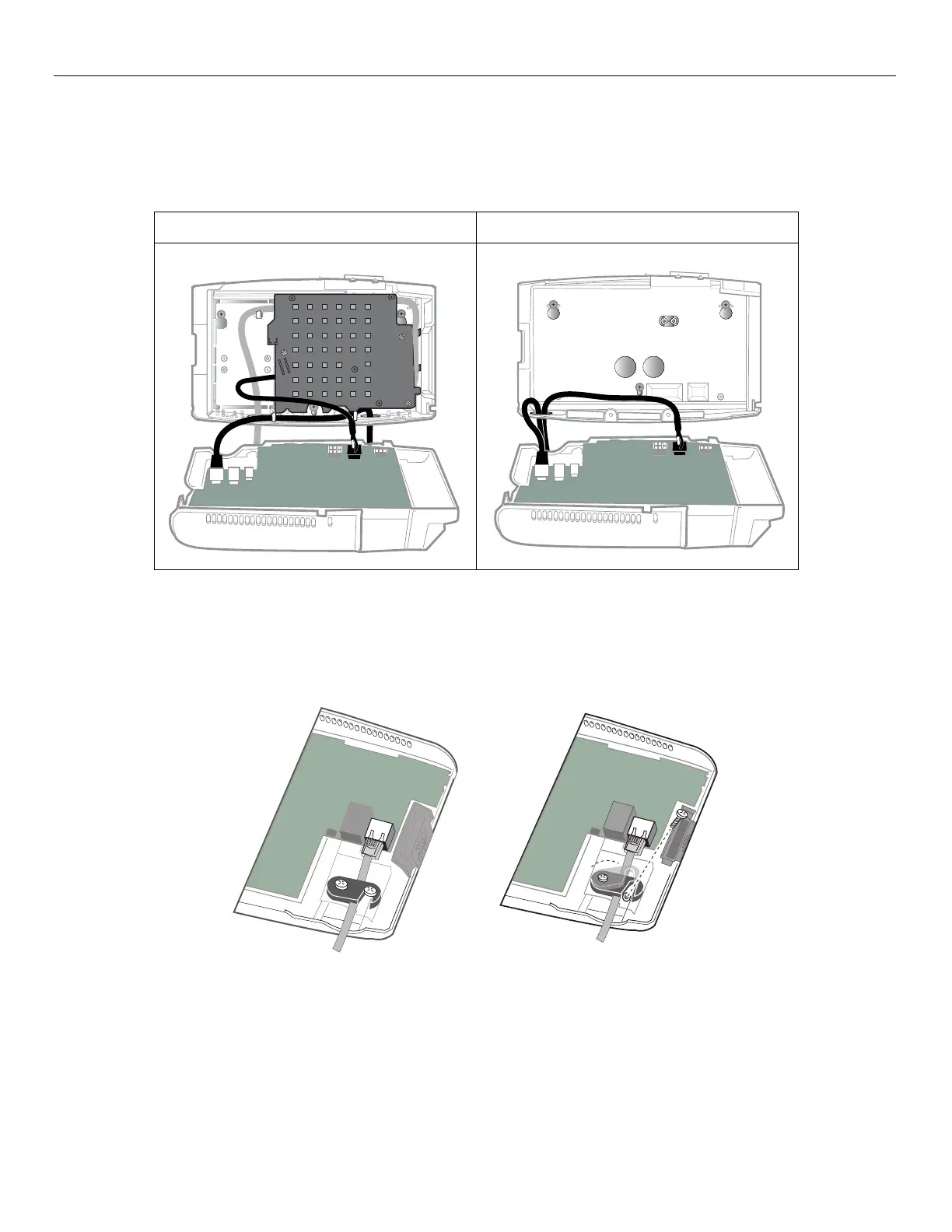
The following illustrations show both the Ethernet cable
and the power supply unit cable attached to the main
board. Your configuration might differ.
3. If your timeclock is plugged into a nearby AC wall outlet, unplug the power supply unit from the outlet. Then remove
the power supply unit cable
from the main board.
4. Loosen and then swivel the strain relief clip that secures the Ethernet cable.
5. Push in the top of the Ethernet connector clip and then pull out the cable from the main board.
Standard Model Slim Profile Model



 To Next Page