10
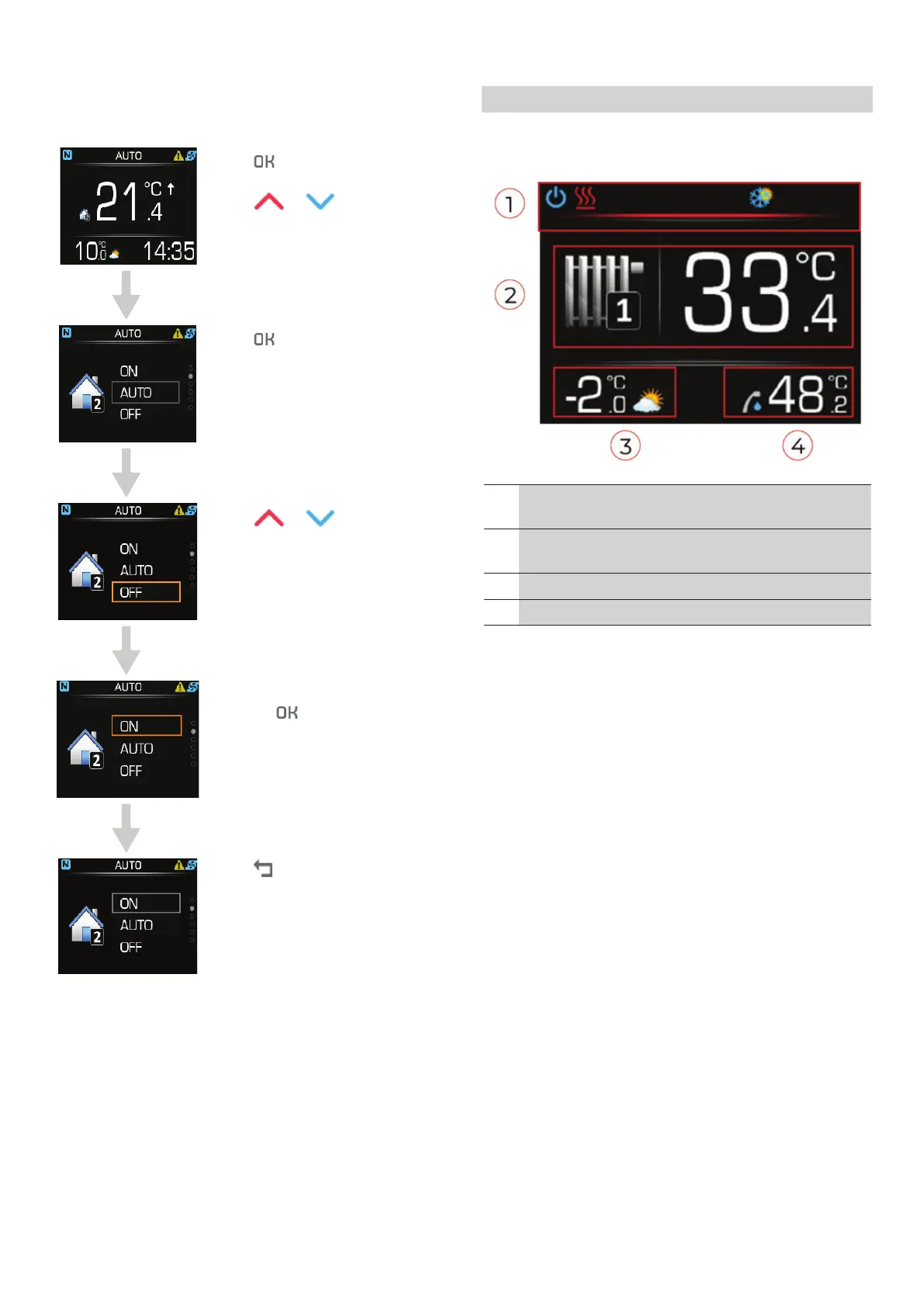
4.6. SETTING THE HEATING LOOP
OPERATION MODE
Press to get to the
parameter menu.
Press
or to find the
heating loop parameter.
Press to begin setting
parameters.
Press or to set it to ON.
Confirm the settings by
pressing
.
Press to return to home
screen.
5 CONTROLLER AND THERMOSTAT
Home screen of the KT-2A controller in controller
mode.
1 A red bar in the status line shows that the KT-2A
is set to controller + thermostat mode.
2 Ambient temperature or water temperature in
the heating loop/system.
3 Outside temperature.
4 DHW temperature.
Operating instructions
A System
17-19-45-6702-02


 To Next Page