24
.
TIPS AND TRICKS
Water quality has a strong inuence on the quality of the aromas. Limescale and chlorine can alter the taste
of coffee. To preserve the aromas of your coffee, we recommend you to use the Claris – Aqua Filter System
cartridge, or bottled water with dry residues below 800 mg/L (look on the bottle’s label). See the “FILTER AND
WATER HARDNESS” section.
When preparing drinks, we recommend using preheated cups (by running them under hot water) of an appropriate
size for your desired quantity.
The roasted coffee beans can lose their aroma if they are not protected. We advise that you use an amount of
beans equivalent to your consumption over the next 2-3 days and that you choose 250 g bags.
The quality of the coffee beans is variable and tastes are subjective. Arabica will give you ne, oral aromas, while
Robusta, which has a higher caffeine content, is more bitter and full-bodied. It is common to mix the two types
of coffee to get a more balanced coffee. Contact your roaster for further advice.
We do not recommend using oily and caramelised beans as these can damage the machine.
The neness of the ground beans inuences the strength of the aromas and the quality of the crema. The more
nely ground the beans, the smoother the crema. Grinding can also be adapted for the desired drink.
INTUITIVE LIGHT INDICATOR
WHAT DOES THE INTUITIVE LIGHT INDICATOR DO?
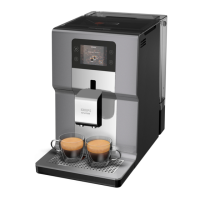
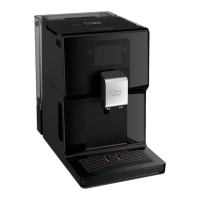
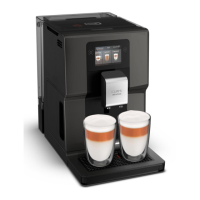
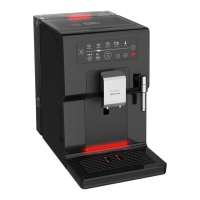
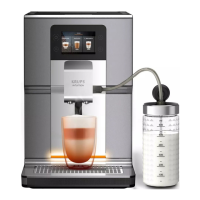
Your Intuition machine features smart, bright technology to make your day easier: Intuitive Light Indicator (J). This
technology has a dual functionality:
1. The machine automatically detects and controls the levels of coffee beans, water and coffee grounds.
When you need to ll or empty your containers, or when maintenance is required, the red light alert comes on,
signalling you to follow the information on the screen.
2. You can also customise your experience using the Intuitive Light Indicator. You can choose a colour for each prole.
When a prole has been selected, the Intuitive Light Indicator will change to the colour belonging to that prole,
making everything simple to understand and ensuring super-fast and intuitive navigation. See the chapter entitled
“MY PROFILE”.
LET YOURSELF BE GUIDED.
Colour Status Explanation
Red Fixed Alert
Other colours and white
Breathing In progress
Fixed Recipe complete



 To Next Page