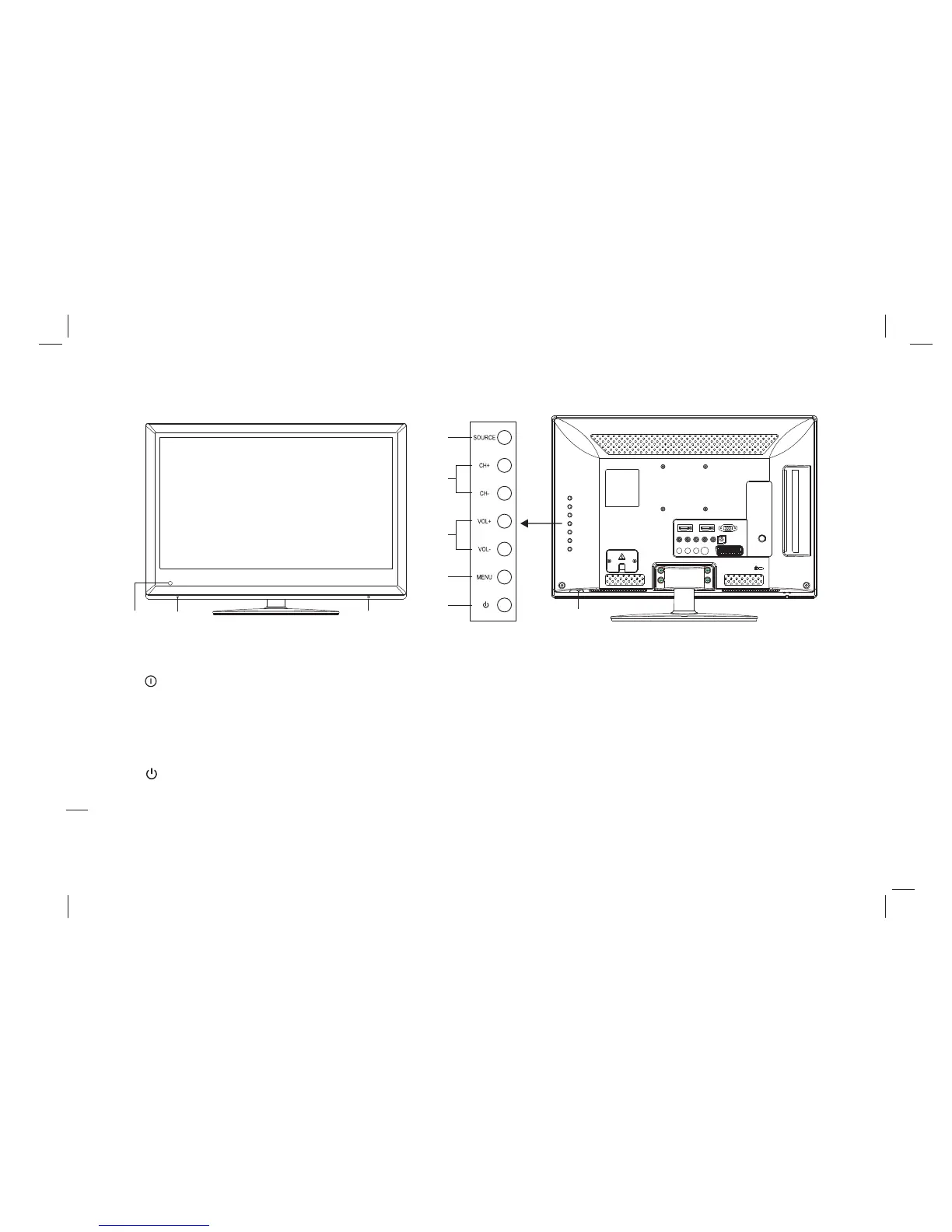
1. Remote Receiving Sensor.
2. Power Indicator.
3. Power switch.
4. SOURCE: Press this key to enter the menu of signal source and choose signal source.
5. CH+/CH-: Press these two keys to choose channel, and adjust the options you need under OSD operation.
6. VOL+/VOL-: Press these two keys to add or reduce volume, and adjust the analog value under OSD operation.
7. MENU: Press this key to enter main menu.
8. Power on/Standby .
Note: There are some apparent differences between modes, please according to practicality.
Panel Control Keys
4
6
7
5
8
3
1
2 3
15
19L11A / 22L11A / 23L11 共用 中性 英 文说 明书(欧 洲模 数)(MSD 306方案 )



 To Next Page