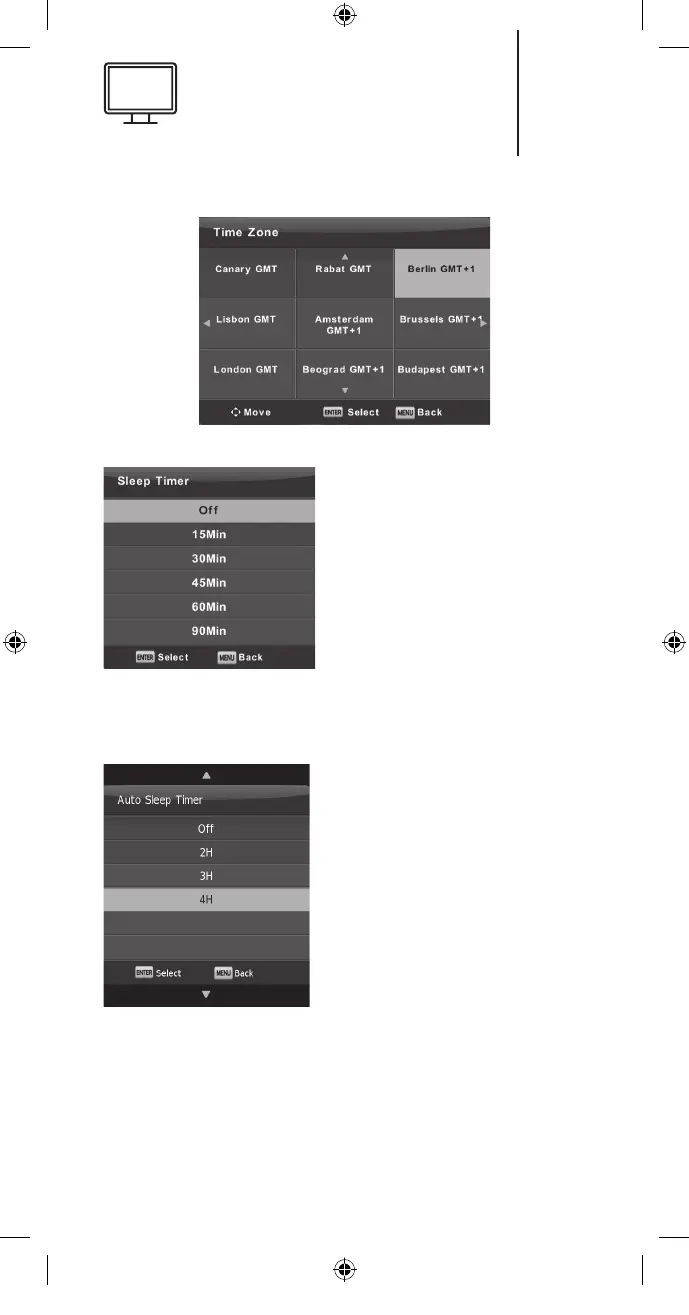
Sleep Timer
Press the ▼/▲ button to
select Sleep Timer and
then press the Enter button
to enter the sub-menu.
Press the ▼/▲ button to
select. (Available options
are: O, 15 min, 30 min, 45
min, 60 min, 90 min, 120
min, 240 min).
Auto Standby
Press the ▼/▲ button to
select Auto Standby and
then press the Enter button
to enter the sub-menu.
Press the ▼/▲ button to
select.
Tip: if no operations are
made using the remote con-
trol when time’s up, the tele-
vision will change to stand-by mode automatically.
If you make any changes, the timer will be reset.
31
K5128X22F User manual.indb 31K5128X22F User manual.indb 31 2020. 02. 12. 15:57:482020. 02. 12. 15:57:48


 To Next Page