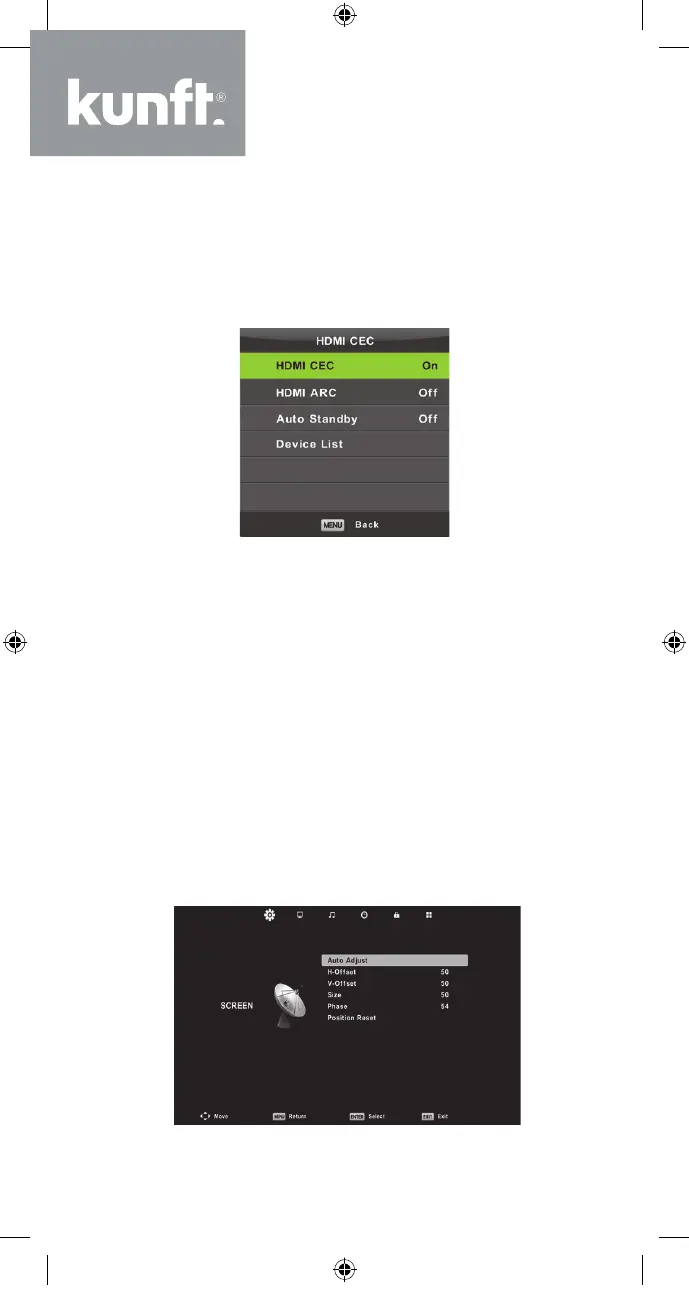
HDMI CEC (must support the HDMI CEC/ARC
function)
Press the ▼/▲ button to select HDMI CEC and
then press the Enter button to enter the sub-menu.
HDMI CEC→Press the ◄/► button to turn the
HDMI CEC On or O.
HDMI ARC→Press the ◄/► button to turn the
HDMI ARC On or O.
Auto Standby Press the ◄/► button to turn the
Auto Standby On or O.
Device List→Press the Enter button to open the
device’s main menu.
Screen Menu
Press the MENU button to display the main menu.
Press the ◄/► button to select SCREEN in the
main menu.
40
K5128X22F User manual.indb 40K5128X22F User manual.indb 40 2020. 02. 12. 15:57:482020. 02. 12. 15:57:48


 To Next Page