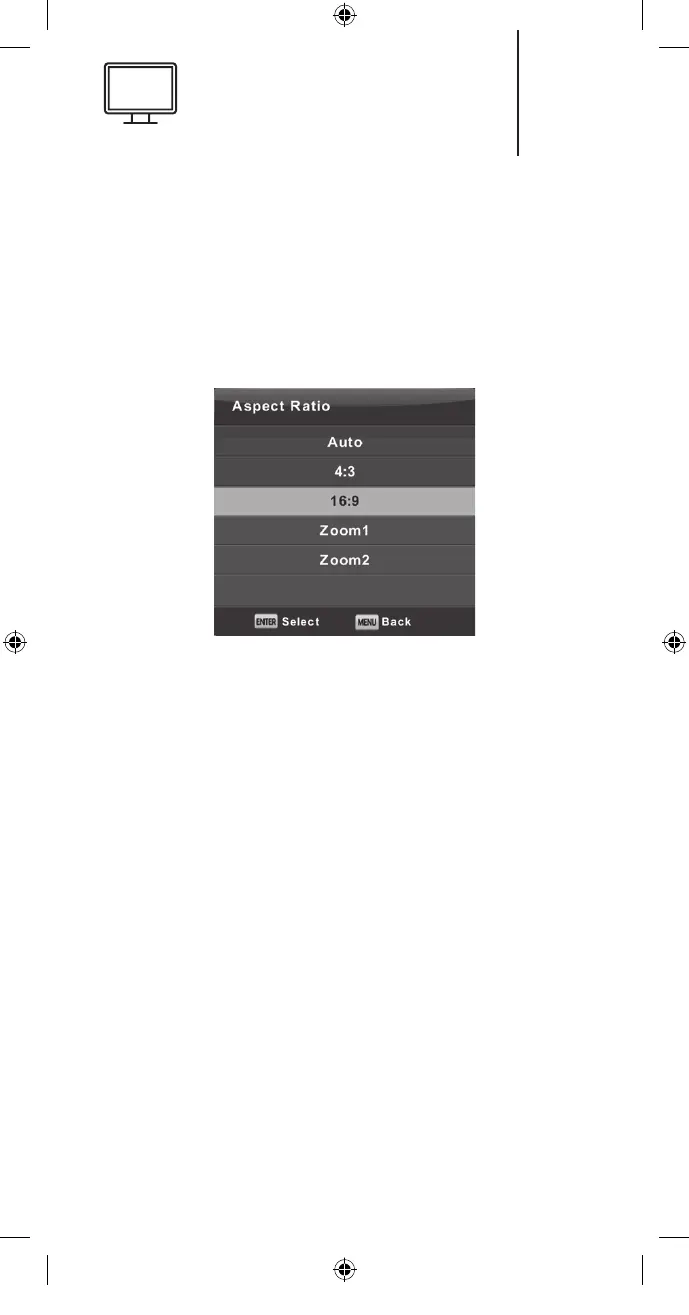
Aspect Ratio
Press the ▼/▲ button to select Aspect Ratio
and then press the Enter button to enter the sub-
menu. Press the ▼/▲ button to select the desired
Aspect Ratio (available options: Auto, 4:3,16:9,
Zoom1, Zoom2).
Blue Screen
Press the ▼/▲ button to select Blue Screen and
then press the Enter button to select On or O.
First Time Installation
Press the ▼/▲ button to select First time instal-
lation and then press the Enter button to enter
sub-menu.
Reset
Press the ▼/▲ button to select Reset and then
press the Enter button to enter sub-menu.
Software Update (USB)
Press the ▼/▲ button to select Software Update
(USB), plug your USB device into the USB slot and
then press the Enter button to update the right
software.
39
K5128X22F User manual.indb 39K5128X22F User manual.indb 39 2020. 02. 12. 15:57:482020. 02. 12. 15:57:48


 To Next Page