Need help?
Do you have a question about the Kuppersberg TMW 230 B and is the answer not in the manual?
This document describes the KUPPERSBERG TMW 230 B and TMW 230 MG microwave ovens.
The KUPPERSBERG microwave oven is designed for cooking, reheating, and defrosting food. It offers various cooking modes, including microwave, grill, and combination cooking. The appliance features a digital display for showing time, power, and indicators, and a control panel with buttons and a dial for setting cooking parameters.
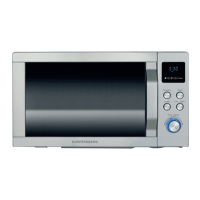
Control Panel: The control panel includes a digital display, power level buttons, a clock button, a weight adjust button, grill button, combination button, preset button, start/quick start button, stop/cancel button, and a menu/time dial.
Setting the Clock: The clock can be set in either 12-hour or 24-hour format. To set the time, press the CLOCK button once or twice to select the desired format. Then, use the MENU/TIME dial to set the hour and minutes, and confirm by pressing the CLOCK button. For example, to set the time to 8:30, press CLOCK, then MENU/TIME to set 8 hours, then MENU/TIME for 30 minutes, and finally CLOCK to confirm.
Microwave Cooking: To cook with the microwave, open the door, place food inside, and close it. Press the POWER LEVEL button repeatedly to select the desired power percentage (e.g., 100%, 90%, 80%, 70%, 60%, 50%, 40%, 30%, 20%, 10%, or 00%). Then, turn the MENU/TIME dial to set the cooking time (up to 95 minutes). The oven will start cooking after the user presses MENU/TIME. For example, to cook for 5 minutes at 60% power, open the door, place food, close the door, press POWER LEVEL until 60% is displayed, and turn MENU/TIME to 5:00.
Grill Cooking: The grill function is suitable for thin meat slices, steaks, chops, sausages, and poultry. To use the grill, open the door, place food, and close it. In standby mode, press the GRILL button. Turn the MENU/TIME dial to set the cooking time (up to 95 minutes). The oven will start cooking. For example, to grill for 12 minutes, press GRILL in standby mode, turn MENU/TIME to 12:00, and press START/QUICK START.
Combination Cooking: The oven offers two combination modes:
Auto Defrost: This feature allows defrosting food based on weight. The defrosting time and power level are automatically set once the food category and weight are programmed. The frozen food weight ranges from 100g to 1800g. To defrost, for example, 600g of shrimp, press WEIGHT ADJUST repeatedly to indicate 600g, and then press START/QUICK START. The oven will pause and beep during defrosting to remind the user to turn over food.
Multi-stage Cooking: The oven can be programmed for up to 2 automatic cooking sequences. To set up multi-stage cooking, first program the first cooking program (e.g., microwave cooking), then program the second cooking program (e.g., grill cooking). The oven will execute the programs sequentially.
Quick Start: The oven operates at 100% power output for Quick Start programs. The longest cooking time is 10 minutes. In standby mode, press the START/QUICK START button a number of times to set cooking time. The oven starts working automatically at full power.
Preset Function: This function allows the oven to start up at a later time. For example, to set the oven to start cooking at 11:30, press PRESET, turn MENU/TIME to set the hour to 11, press PRESET again, turn MENU/TIME to set the minute to 30, and press START/QUICK START.
Child Lock: To prevent unsupervised operation by children, the child lock can be activated. The child lock indicator will show up on the display screen, and the oven cannot be operated while the Child Lock is set. To set: In standby mode, press and hold the STOP/CANCEL button for 3 seconds; a beep sounds and lock indicator lights. To cancel: Press and hold the STOP/CANCEL button for 3 seconds until the lock indicator on the display goes off.
Auto Cook Menu: The oven has pre-programmed settings for various foods. To use, turn the MENU/TIME dial counterclockwise to select the food code (1-9). Press WEIGHT ADJUST to indicate the number of times to indicate food weight or number of servings. Then press START/QUICK START.
Utensils Guide:
Cleaning and Care:
Important Notes:
 General
| Brand | Kuppersberg |
|---|---|
| Model | TMW 230 B |
| Category | Microwave Oven |
| Language | English |


 To Next Page