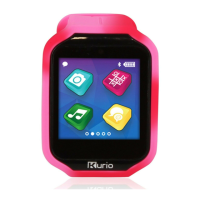
USER MANUAL
The Ultimate Smartwatch Built for kids
• Snake
• Tic Tac Toe
• Pirates Battle
• Ninja Roll
• Air Music
• Sport Challenge
• Activity Tracker
• Phrase Translator
• Photo Filter
• Drawing
• Messaging
• Emergency app
• Time features
• Calculator
• Calendar
• Contact list
• Reminder
• Take photos
& videos
• Music player
• Phone function
• KURIO Watch
with rechargeable
Lithium battery*
• Micro USB cable
• User Manual
* Battery is not replaceable
• Please do not use the KURIO Watch if you have or had symptoms/signs of skin irritation.
• Do not attempt to disassemble, repair or modify the product or replace the batteries.
This will invalidate the warranty. There is danger of explosion if the battery is replaced
incorrectly.
• Use only the micro USB cable supplied with KURIO Watch for charging the battery and
transferring data. Do not damage or deform the power supply micro USB cable and connector.
If it is damaged or deformed, it may cause electric shock or malfunction when used. When
removing it from the device, be sure to remove by holding the plug attachment and not by
pulling the cord.
• In case of data transfer from the KURIO Watch to the PC or MAC, to avoid data corruption or lost
data, follow the instruction in this manual. The user is responsible for any damage or loss of
data, the misuse, malfunction or modification.
• If for any reason, the screen (display) is cracked or broken, immediately stop using the product.
• Do not drop the product or subject it to severe impact.
• Do not use and do not expose the device in extreme temperatures (hot or cold), dusty conditions
or damp conditions. Do not expose to direct sunlight. Do not expose the device to water, liquids,
rain, dust or moisture. If your KURIO Watch is exposed to liquid, power off the device
immediately and clean/dry it.
• Avoid using the device near strong magnetic fields. If your KURIO Watch has been exposed to
magnetic fields, please restart the device, following the instructions in this manual if
necessary.
• Please keep the box and this manual for further reference. This manual may not reflect your
actual device’s operation. All information is subject to change without prior notification. Please
follow your actual device’s operational procedures.
WARNING: All packing materials such as internal bags, plastic collars, plastic films and carton inserts
should be discarded before handing the device over to a child, for your child’s safety.
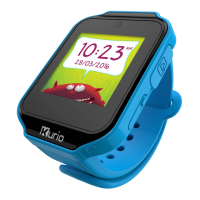
Micro
USB
Port
1.54" Touch
Screen
Micro SD
Card Slot
Microphone
Home
Button
Camera
Speaker
Included
Apps & Games
Safety precautions
WATCH

 Need help?

 To Next Page
 General