Need help?
Do you have a question about the Kurzweil PC4-7 and is the answer not in the manual?
Details on FlashPlay technology, sample memory, KB3 ToneReal, FM synthesis, KSR, VAST, Factory Programs/Multis, polyphony, MIDI controller zones.
Describes 88-key weighted and 76-key semi-weighted keyboards, and lists physical controllers like sliders, knobs, buttons, wheels, and pedals.
Explains the four rear panel jacks for optional pedal controllers, distinguishing between switch pedal jacks and continuous control (CC) pedal jacks.
Provides step-by-step instructions for initial setup, including warming up, connecting power, pedals, audio outputs, and headphones.
Instructions on powering on the device, adjusting volume levels, and managing audio output with speakers or mixers.
Guidance on selecting and listening to Programs and Demo songs, including Program Mode, Multi Mode, and Demo song playback.
Explains the auto power-off feature, its default settings, and how it can be configured or disabled.
Overview of the front panel layout, identifying sections like Transpose Buttons, Control Section, Display, and various buttons and wheels.
Details the function of the VOLUME slider in controlling audio output and headphone volume.
Explains the role of the display as the main user interface for viewing programs, assignments, and editing functions.
Explains soft buttons, navigation buttons, Alpha Wheel, Prev/Next, Mode, and Category buttons for interface interaction.
Details Transpose Buttons, Pitch/Modulation Wheels, and the VARIATION Button for expressive playing.
Explains the use of knobs, sliders, and buttons in the CONTROL section for Program and Multi parameters.
Describes the use of ARP and LATCH buttons to control the PC4's Arpeggiator.
Explains TEMPO, TRANSPORT, SAVE, EDIT, EXIT, and CHANNEL/LAYER/ZONE/TRACK buttons for timing, recording, editing, and mode selection.
Covers the POWER button, DC Power Jack, and basic rear panel connections.
Explains MIDI IN/OUT ports and USB ports for computer/device connectivity and data management.
Details SW1 (SUSTAIN) and SW2 jacks for connecting switch pedals and their default functions.
Describes Dual Switch Pedals, Half-Damper pedals, and CC1/CC2 jacks for expression/volume control.
Covers RIBBON jack, AUDIO IN jacks for external sources, AUDIO OUT jacks for amplification, and HEADPHONE jack.
Guides on selecting Programs by browsing all, by category, by ID number, or by previously saved user programs.
Explains how to select Multis by browsing all, by ID number, or by previously saved user multis.
Describes switching views (Quick Access) and how controllers affect sounds and can be assigned.
Details how to Split or Layer Programs/Multis across the keyboard for complex sounds.
Explains Program Mode, saving programs, and Program Edit Mode for parameter adjustment.
Explains Multi Mode for layering/splitting Programs and Multi Edit Mode for parameter modification.
Details Song Mode for recording/playback and Global Mode for system settings and backups.
Covers the Info Page, factory Reset procedure, and saving/loading user objects to external storage.
Guides on loading from external storage and resetting transposition using button combinations.
Explains Program/Song Demos, the Panic function, and selecting Channel/Layer/Zone/Track/QA Bank 1.
Details selecting the next unused ID and using the Search page to find terms within lists.
The Kurzweil PC4 is a versatile digital instrument designed for musicians seeking a rich array of sounds, extensive control, and advanced performance capabilities. It functions as a powerful synthesizer, a comprehensive MIDI controller, and a multi-channel recording device, making it suitable for studio production, live performances, and practice.
At its core, the PC4 is a sound engine powered by FlashPlay technology, utilizing 2GB of high-quality instrument samples. This includes optimized German D and Japanese C7 Pianos, a Triple Strike Piano, a 73 Electric Piano, Clavinets, Harpsichords, Celeste, Bowed and Hit Crotales, and Vector Synthesis Waveforms. Additionally, it features updated Rock, Synth, and Orchestral sounds derived from Kurzweil's SP6, PC3, and KORE64 models. The instrument boasts 256 voices of polyphony, ensuring complex arrangements can be played without note drop-out.
The PC4 offers over 1000 Factory Programs, organized into 13 categories such as Piano, E. Piano, Clav, Organ, Strings, Pad, Synth, Brass/Wind, Ensemble, Hybrid, Guitar/Bass, Drum/Perc, and Misc. Beyond individual Programs, it includes more than 50 Factory Multis, which are combinations of Programs arranged as layers and/or splits across the keyboard. Users can save up to 4000 of their own Programs and Multis, providing ample space for custom sound design.
A key feature is the KB3 ToneReal™ organ simulations, which are controlled by nine physical sliders acting as drawbars, offering an authentic organ playing experience. It also incorporates classic 6-operator FM synthesis and Kurzweil String Resonance (KSR) for realistic piano string resonance simulation. Half-Damper pedal support allows for nuanced "half pedaling" sustain techniques, particularly beneficial for piano programs.
The PC4 integrates Kurzweil's highly acclaimed VAST Synthesis and FX engine, providing deep sound design possibilities. It also functions as a 16-zone MIDI controller in Multi Mode, enabling complex splits and layers for controlling external MIDI devices or internal sounds. In Song Mode, it supports 16 MIDI tracks for recording and playback. An arpeggiator with dedicated front panel controls can run up to 16 simultaneous arpeggios in Multi Mode.
For audio input, the PC4 includes a 1/8” stereo line-in and a 1/4” stereo line-in pair, allowing external audio sources to be mixed with the PC4's sounds and processed through its internal effects. This is ideal for playing along with backing tracks from music players or computers.
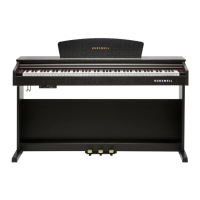
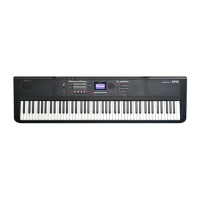
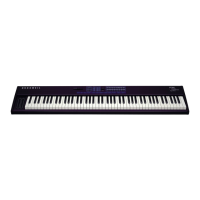
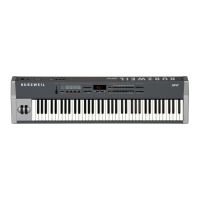
The PC4 is designed for intuitive operation, featuring a comprehensive array of physical controllers. The PC4 model comes with an 88-key fully-weighted hammer action keyboard, providing a piano-like feel, while the PC4-7 features a 76-key semi-weighted action keyboard.
Front panel controls include nine assignable sliders, nine assignable knobs, and ten assignable buttons, which can be mapped to various synthesis, FX, or zone parameters depending on the selected Program or Multi. A Pitch Wheel and an assignable Modulation Wheel offer expressive control. A Tap Tempo button and tempo knob allow for easy adjustment of the arpeggiator, tempo-synced effects, or Multi/Song tempo. Two Transpose buttons enable quick pitch shifts, and Monopressure (Aftertouch) adds another layer of expressive control.
The rear panel offers extensive connectivity. Four pedal jacks are available for optional pedal controllers. Two switch pedal jacks (SW1 and SW2) support up to four switch pedals, with SW1 defaulting to Sustain and SW2 to Sostenuto in Program Mode. SW1 is also compatible with continuous switch pedals (Half-Damper) like the Kurzweil KP-1H, providing finer sustain control for piano programs. Two continuous control (CC) pedal jacks (CC1 and CC2) are typically used for volume and wah, with CC1 defaulting to organ swell for KB3 programs. It's important to plug in switch pedals before powering on the PC4, as their state is detected during startup.
MIDI IN and OUT ports facilitate communication with other MIDI modules and controllers, allowing the PC4 to act as a master controller or be controlled by an external device. USB ports enable connection to a computer/tablet for use as a MIDI controller, sequencing multi-channel songs, backing up/restoring User Programs and Multis to a USB hard drive, and updating software and sounds. An LCD knob adjusts display brightness.
The RIBBON jack allows for connection of the optional Kurzweil Ribbon Controller, which defaults to pitch bend but can be programmed for other MIDI messages. The ribbon can be configured as one continuous control section or three equal sections.
The user interface is navigated via a display, Alpha Wheel, Navigation Buttons, and PREVIOUS/NEXT buttons. Soft Buttons below the display change their functions based on the current page. MODE buttons switch between Program, Multi, Song, and Global Modes. CATEGORY buttons allow for quick selection of Programs by type or by ID number using the keypad function.
The PC4 supports Splits and Layers, allowing multiple Programs to be combined across the keyboard. These can be saved as User Multis. In Program Mode, users can save modified Programs with current controller settings. Multi Edit Mode provides detailed control over Multi parameters, including Program selection, key ranges, volume, pan, and controller assignments. Song Mode enables recording and playback of up to 16 tracks.
Global Mode offers system-wide settings like velocity sensitivity, power-saving options, and the ability to store/load user backup files or restore factory defaults. The Info Page displays the installed operating system and sound object versions.
The PC4 includes several features to ensure its longevity and user convenience. An automatic power-saving feature (Auto Power Off) is enabled by default, powering off the device after 8 hours of inactivity to conserve electricity. This time can be adjusted or disabled in Global Mode. A countdown timer warns the user before power-off, and any interaction with the PC4 resets this timer.
Software updates and new sounds are available from the Kurzweil website (www.kurzweil.com). Users can check the currently installed OS version via the Info page in Global Mode. Updates can be loaded via USB.
The device also supports backing up and restoring User Programs and Multis to a USB Flash Drive, which is crucial for preserving custom sounds and settings. This also allows users to load new sounds from Kurzweil or other developers.
A Reset function in Global Mode returns the PC4 to its Factory default state. However, it's important to back up all User objects to a USB Flash Drive before performing a Reset, as this action will delete all user-created content. Factory objects remain unaffected.
For initial setup, it's recommended to allow the PC4 to warm up to room temperature if it has been exposed to cold during shipping, to prevent condensation. When connecting audio cables, always plug into the amplifier/mixer inputs first, then into the PC4's audio outputs to minimize static discharge damage.
The Search page allows users to quickly find Programs or Multis by typing in keywords using the category buttons. This feature is not case-sensitive and can store up to nine different search terms for quick recall.
Double button presses offer quick access to various functions, such as resetting transposition, playing Program or Song Demos, performing a Panic (all notes off), and selecting specific MIDI channels, layers, zones, or Quick Access Banks. The ability to jump to the next unused ID number when saving objects simplifies the saving process.
 General
| Polyphony | 128 voices |
|---|---|
| Arpeggiator | Yes |
| MIDI | In, Out, Thru |
| Keyboard | 76-note semi-weighted, velocity-sensitive |
| Multitimbral | 16-part |
| Controllers | Pitch wheel, modulation wheel |
| Sequencer | 16 tracks |
| USB | USB Type B (for MIDI and audio) |
| Audio Outputs | 2 x 1/4" TRS |
| Display | Color LCD |
| Audio Inputs | Two 1/4" balanced TRS analog inputs (24-bit ADCs) |

 To Next Page