EasyManua.ls Logo

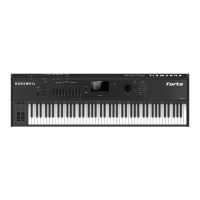
Kurzweil Forte - User Manual

Kurzweil Forte
371 pages
Print Icon
To Next Page IconTo Next Page
Loading...
Part Number 910557-004 Rev. D
Written for software release v1.40 and OS 3.55
Including

Table of Contents

Other manuals for Kurzweil Forte

Questions and Answers

  • S
    Stephanie Bradley MDSep 23, 2025
    What to do if the current Multi has another controller assigned to volume, and it is turned down on Kurzweil Forte?
    • B
      Brian ConradSep 23, 2025
      Select a different Multi. Or change the problematic controller setting by editing the Multi in Multi Edit Mode.
  • A
    Amber NixonAug 23, 2025
    What to do if the volume slider is turned down on Kurzweil Musical Instrument?
    • G
      garnerheatherAug 23, 2025
      If the volume slider is down, slowly push the volume slider up.
  • E
    Elizabeth BoydAug 25, 2025
    What to do if the power cable is not plugged securely into the wall outlet for Kurzweil Forte?
    • T
      Troy HallAug 25, 2025
      Ensure the power cable is fully and securely plugged into the wall outlet.
  • F
    Fred BakerAug 26, 2025
    What to do if the volume control on the audio system or mixer is turned down for Kurzweil Forte Musical Instrument?
    • K
      Kristina WilliamsAug 27, 2025
      If the volume control on your audio system or mixer is too low, slowly turn the volume control up.
  • I
    ibutlerAug 27, 2025
    What to do if the MIDI cable is not securely plugged in at both ends of Kurzweil Forte Musical Instrument?
    • A
      Alexandra RichardsonAug 28, 2025
      Make sure to securely plug in the MIDI cable at both ends.
  • L
    Laura HallSep 18, 2025
    What to do if a received MIDI volume message has specified a low volume on Kurzweil Musical Instrument?
    • M
      Monica VaughanSep 18, 2025
      Set the volume of the audio system or mixer to the lowest level. Disconnect all MIDI cables, set the “Destination” parameter in Global Mode (MIDI page) to LOCAL or USB+MIDI+LOCAL and reset the volume level on the Forte, by pressing Panic. Finally, slowly turn up the volume level of the audio system or mixer.
  • A
    Ann SmithSep 15, 2025
    What to do if the Destination parameter stops MIDI Data on Kurzweil Forte Musical Instrument?
    • C
      charperSep 15, 2025
      Change the Global Mode (MIDI page) “Destination” parameter to USB+MIDI+LOCAL.
  • B
    Brandi MartinezSep 16, 2025
    How to fix blank or difficult to read display on Kurzweil Musical Instrument?
    • D
      David DominguezSep 16, 2025
      Adjust the display by slowly turning the Display brightness knob, which is located above the Navigation buttons.
  • R
    rogersamberSep 6, 2025
    What to do if the pedal is acting backwards ('on' when up instead of down) on Kurzweil Musical Instrument?
    • C
      christopherbrewerSep 6, 2025
      Power cycle the unit making sure to NOT press on the pedal during startup.
  • K
    kimberlynelsonSep 3, 2025
    What to do if Sustain or Sostenuto is stuck 'on' on Kurzweil Musical Instrument?
    • K
      Kyle MorrisonSep 3, 2025
      Make sure the pedal is plugged in before turning on the power. If necessary, turn the power off, and then on again.

Kurzweil Forte Specifications

General IconGeneral
Pitch wheelYes
Sound effectsChorus, Compression, Phaser
Output impedance50 Ω
Built-in speaker(s)-
Maximum polyphony (notes)128
Number of transpose switches2
Number of front panel sliders9
Audio (L/R) out4
Headphone outputs1
Keyboard nameFatar TP/40L
Keys quantity88 keys
Product colorBlack
Display resolution480 x 272 pixels
General MIDINo
FX units quantity32
Effect chains quantity1000
User programs quantity1024
Factory multis quantity186
Factory programs quantity322
Cables includedAC, USB
AC input voltage100-240 V
AC input frequency50 - 60 Hz
Power consumption (max)20 W
Weight and Dimensions IconWeight and Dimensions
Depth395 mm
Width1385 mm
Height140 mm
Weight21800 g

Related product manuals