Section 2.0 - Set Up & Start Up
Work Safely. Always wear safety glasses near the machine.
After the connections are complete, begin the following:
1. Turn the machine on (twist E-Stop). The 4 line LCD display will show a “welcome” screen in about 20-25
seconds. This lasts only 3 seconds. The main menu will appear in about 25-30 seconds after power-up.
(Main Menu is: “RUN JOB” screen)
2. Be sure the tooling / xturing is secure on the KwikMark base prior to attempting any marking operation.
3. Using the Arrows on the Key Board, jog the tip to the desired position over the surface you wish to mark.
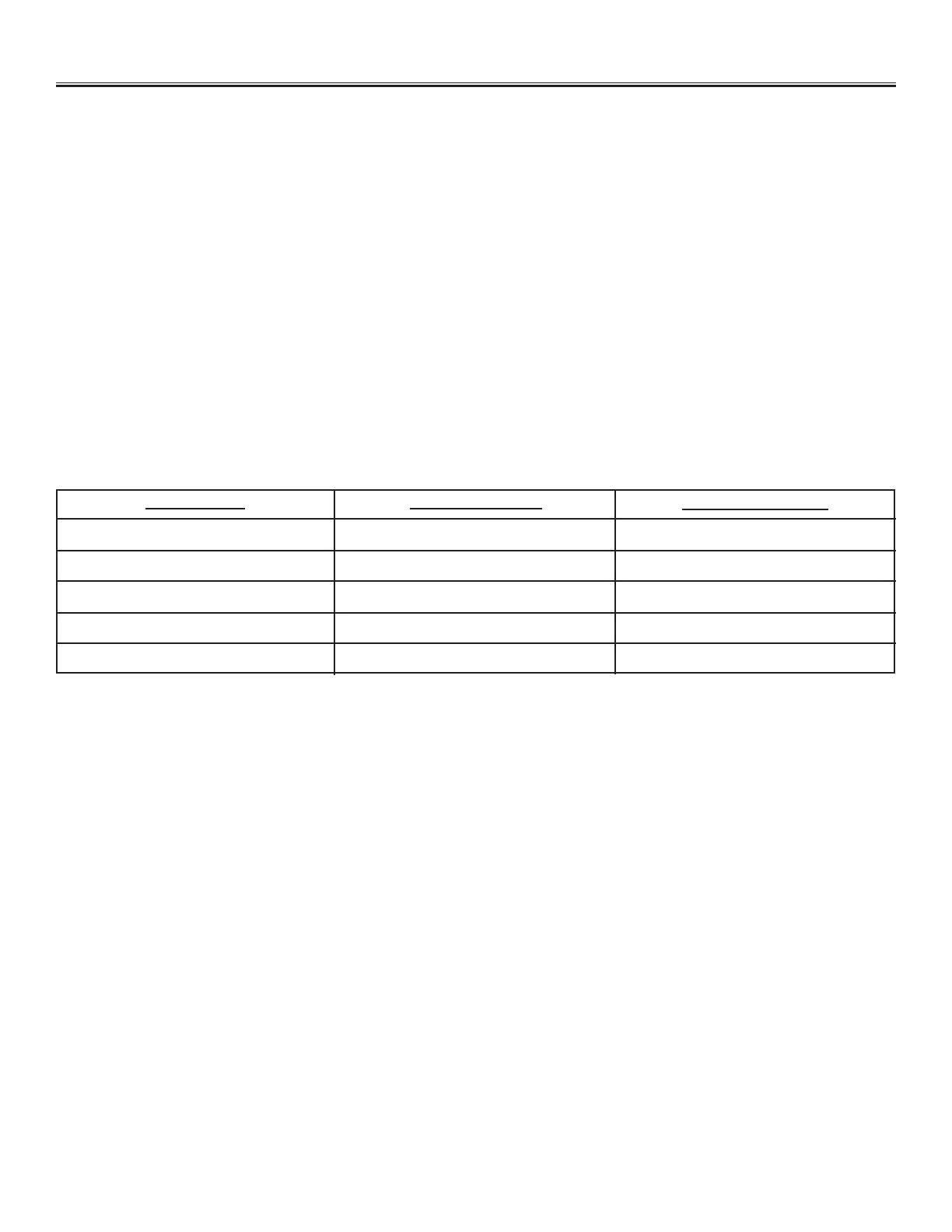
4. Adjust the air pressure (PSI) with the regulator on the side of the machine. Turn the handwheel on top of the
KwikMark until the tip is the approximate distance. Per chart below.
Machine Start Up
The above are only approximations. It is more important to tune the frequency of the pin for a nice BZZZZZZZZ
sound. If the pin is too far away it will be a low pitch, too close and the pin will stall and scratch not impact material.
The KwikMark has two modes of operation:
Express Text:
• Single Line
• Normal Text
• Marks from Current Pin position
• Does not Save File
For Express Text: Press F1 on the (ps-2) keyboard. Follow LCD screen prompts as follows:
• Type the text you wish to mark (press Enter)
• Accept default text height or type over (press Enter)
• Press Space Bar to begin marking cycle
Or Standard Text:
• Limitless Amount of Lines / File
• Straight, Angular or Arc Text
• Innite Font Size / Line
• Each Line has X-Y Position
• Multiple Serial Numbering / File
• Date Code & Time Stamping
• Graphics Marking
• Saves the File
Marking Type
Ultra Fine
Fine - Medium
Medium
Medium - Heavy
Heavy - Deep
Air Pressure (PSI)
15 - 25
25 - 35
35 - 45
45 - 65
65 - 85
Distance Tip to Part
.050
.100
.125
.160
.200 +


 To Next Page