8
Listen to Music
Playback controls on your headset can be used when listening to
music from a Bluetooth-enabled music player that also provides
remote control capabilities.
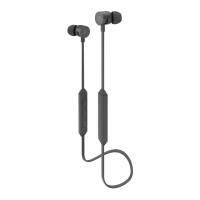
Volume control: Press the + button on the remote to increase
volume level and the V- to decrease the volume level. You’ll hear a
beep tone when the maximum and minimum volumes are reached.
Change tracks: Press and hold the - button on the remote to go
to the previous track. Press and hold the V- button to go to the next
track. Press the multifunction button to play and pause the music.


 To Next Page