5. Recharging and Battery
5.1 Recharging Battery
Complete the following procedures:
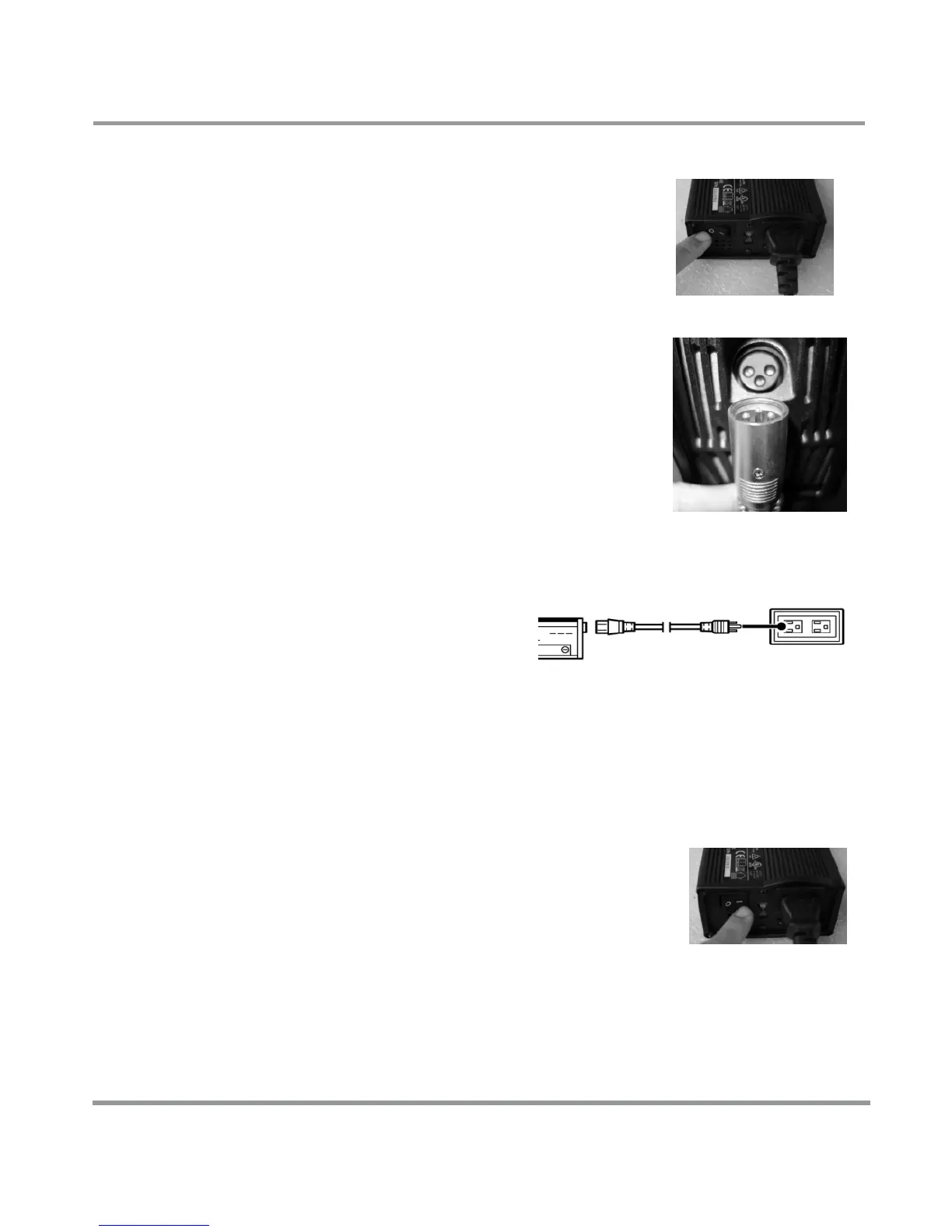
1. Turn the charger power switch to
"OFF" (as shown in the right figure)
2. Connect the round pin of "24V output
cable" of charger to the charging
socket under the joystick.
3. Connect the "220V cable" to the
charger socket and household socket".
4. Turn the charger "ON" (see right
figure)
5. The charging process starts when the
red power indicator of the
charger and orange
charging indicator light up.
The charging process normally lasts for 8 hours,
sometimes it may become 8~12 hours (the battery
status is related to the temperature of environment,
refer to 5.4 "Battery").
6.The charging process is complete when
the charging indicator turns from
orange to green.
7. Turn off the charger and remove the
"24V output cable" from the charging
socket.


 To Next Page