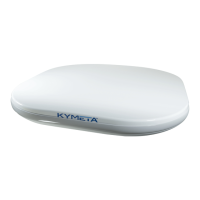
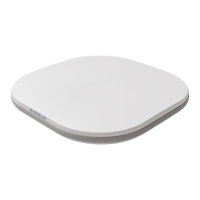
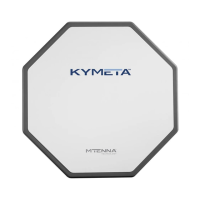
This document outlines the installation and setup procedures for the Kymeta u8 terminal and the Kymeta u8 outdoor unit (ODU), designed for the u8 products Beta program. It serves as a comprehensive guide for users to ensure proper installation, safe operation, and basic troubleshooting of the Kymeta u8 products.
Function Description
The Kymeta u8 terminal and ODU are satellite communication devices designed to provide connectivity, particularly for land-mobile and stationary installations. These devices facilitate communication by connecting to satellites, offering internet access and other data services. The u8 terminal, in particular, supports multi-WAN capabilities, allowing for both satellite and terrestrial (cellular) communications. The system is designed to be robust and reliable, with features to mitigate interference and ensure consistent performance.
Usage Features
The Kymeta u8 products offer several features to enhance usability and connectivity:
- Connectivity Options: The u8 terminal and ODU provide various ways to connect to the antenna for administration and data access. This includes Wi-Fi connectivity with distinct SSIDs for administrative access (
u8_Admin_####), general internet browsing (u8_Internet_####), and applications requiring session continuity (u8_SFC_####). Each Wi-Fi network has a default password for initial setup. Physical Ethernet access is also available for both data and administrative networks, with specific IP addresses for the antenna and satellite modem.
- Multi-WAN Support: The u8 terminal supports multi-WAN functionality, allowing it to leverage both satellite and terrestrial cellular networks for connectivity. This provides redundancy and flexibility, ensuring continuous service even when one network type is unavailable. Users have the option to install a second SIM card for terrestrial communications, enhancing the device's versatility.
- Antenna Orientation Setup: For optimal performance, especially in motion, the antenna's orientation (yaw) relative to the vehicle's heading vector can be precisely configured. The system assumes the antenna's X-axis aligns with the heading vector by default, but an offset can be set via the antenna's API if there's a misalignment. This feature helps expedite satellite acquisition and minimize out-of-network time.
- Status Monitoring: Users can obtain status information through multiple channels. In a terminal configuration, the Kymeta Access application provides full terminal status. For both terminal and ODU configurations, opening the shroud access panel reveals LED status lights that indicate the functioning status of the antenna, modem, and multi-WAN components. Solid green LEDs typically signify normal operation, while blinking blue LEDs indicate connectivity.
- Web-based User Interface (UI): The Kymeta u8 antenna features a web-based UI for detailed administration and monitoring. This interface allows users to check antenna status, configure settings, and manage modem commissioning. Access to the UI is available via specific IP addresses, depending on whether the connection is through Wi-Fi or Ethernet.
- Commissioning Process: For u8 terminals with Kymeta™ Broadband, a structured commissioning process is in place. Users contact Kymeta support to schedule a commissioning window, during which support staff guide them through the initial setup and provisioning of the terminal. This ensures the terminal is properly configured and brought online. For ODUs or terminals without Kymeta™ Broadband, specific instructions are provided in the software user guide for "Software Commissioning Mode support."
Maintenance Features
The Kymeta u8 products are designed with consideration for ease of maintenance and safety:
- Shroud Access: The u8 shroud is designed to be opened and removed without voiding the warranty or affecting the IP-rating. This provides access to internal connections and cables, including RX, TX, and Ethernet cable jumpers, as well as the power cable connector for installing an AC-to-DC power kit. The shroud access panel specifically allows for viewing LED status lights, accessing an Ethernet port for physical administrative access, utilizing reset functionality for the antenna, modem, and multi-WAN, and adding a SIM.
- Cable Management: The installation guide provides detailed instructions for connecting RX, TX, and Ethernet cables, ensuring they are routed correctly through the cable glands. This helps maintain the integrity of the connections and the device's environmental protection.
- ESD Precautions: The document emphasizes electrostatic discharge (ESD) precautions, advising against opening the antenna housing or transceiver component housings to prevent damage to sensitive electronic components and to maintain warranty validity.
- Safety and Handling Instructions: Comprehensive safety guidelines are provided, covering proper lifting techniques, avoiding physical damage to the antenna, protecting against excessive shock and vibration, and ensuring proper electrical connections. These instructions are crucial for safe installation and handling.
- RF Energy Exposure Guidelines: The manual outlines FCC guidelines for protecting individuals from harmful levels of RF exposure. It specifies safe distances to maintain from the antenna during operation, particularly for a 20 W terminal configuration, to ensure compliance with occupational/controlled MPE limits.
- Interference Prevention: Instructions are given to prevent RF and magnetic interference. Users are advised to install the u8 ODU or terminal away from radar equipment and other sources of magnetic interference (motors, fans, ferrous metals) to ensure optimal performance and prevent damage.
- Troubleshooting Steps: A section dedicated to common troubleshooting steps helps users address issues such as Wi-Fi availability, inability to access IP addresses, and modem unresponsiveness. It also provides guidance on resetting the unit to default factory configuration if network settings are inadvertently changed.
- Customer Support: Direct contact information for Kymeta customer support is provided, including email and phone number, for assistance with installation, commissioning, and any issues that cannot be resolved through the troubleshooting steps.
- Modular Accessory Kits: Kymeta offers various accessory kits for different installation needs, such as vehicle power kits, vehicle mounting kits, AC-to-DC power kits, and universal mounting plates. These modular components facilitate tailored installations and maintenance.

 Need help?
 General

 To Next Page