System Menu
ADVANCED OPERATION GUIDE 6-85
System Initialization
Initialize the hard disk mounted on the machine to return to the default
mode.
CAUTION: System initialization will delete Custom Document Boxes,
data stored in Document Box, addresses in the Address Book, user
property, account information, and settings.
NOTE: This item will not be displayed if the optional Security Kit is
installed. Refer to Security on page 8-1 about the functions added when
the Security Kit is installed and related procedures.
Using KM-Net for Clients allows you to backup addresses in the Address
Book.
Using the FAX Backup Kit (optional) allows you to backup Job accounting
data.
1
Press the System Menu key.
2
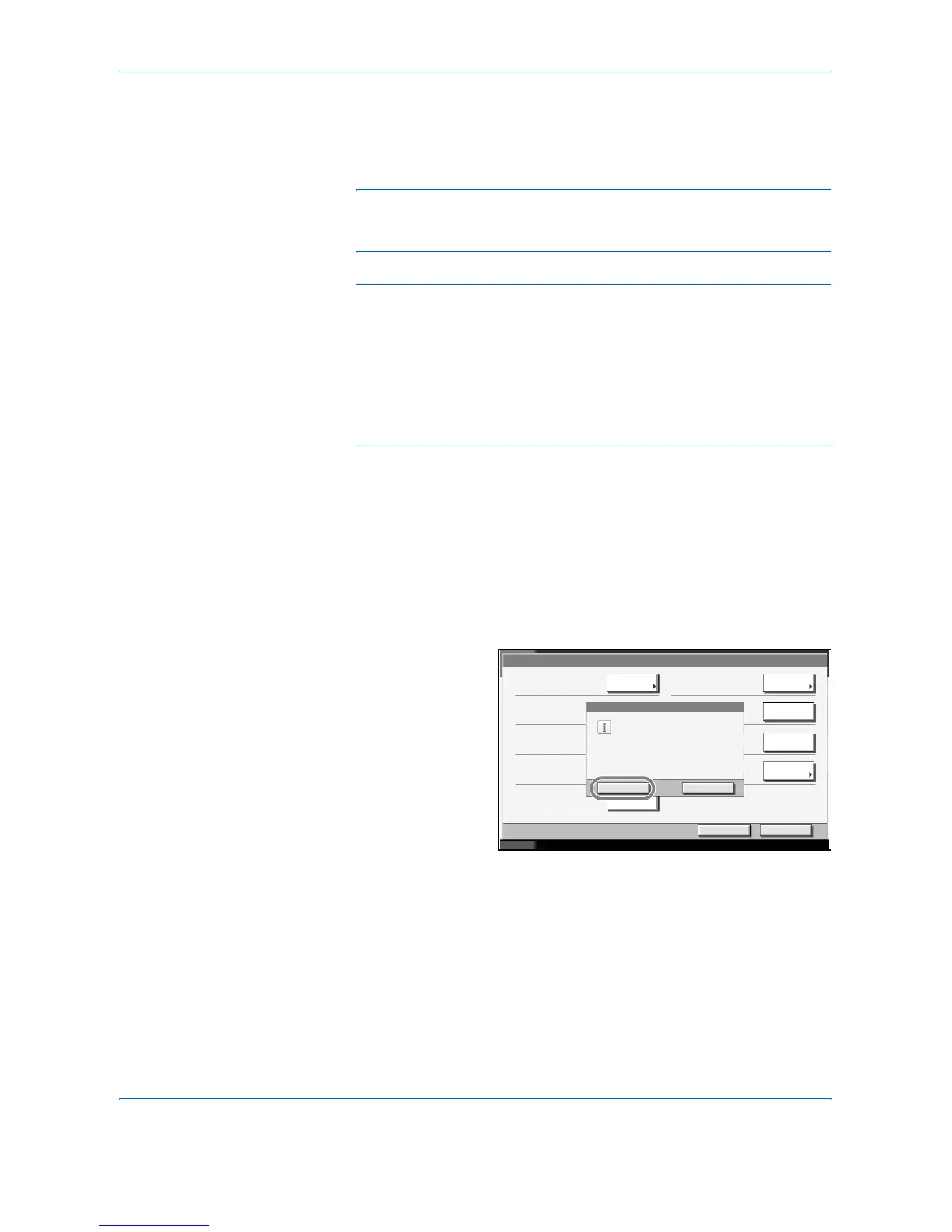
Press [T], [Adjustment/Maintenance] and then [Execute] of System
Initialization.
3
If user login is disabled, the user authentication screen appears. Enter your
login user name and password and then press [Login]. For this, you need
to log in with administrator privileges. The default login user name and
password are both
“5050”.
4
Press [Yes].
5
Once the initialization ends, the message Task is completed. Turn the
main power switch off and on. appears. Turn the main power switch off.
Adjustment/Maintenance
Status 10/5/200 6 10:10
Copy Density Adjustment:
Change
Close
Change
Execute
Execute
Send/Box Density Adjust.:
Change
Print Density:
Correcting Black Line:
Display Brightness:
Charger Auto Cleaning:
Yes
This will be formatted.
Are you sure?
No
This proce ss may take some ti me.
Return to Top


 To Next Page
 Loading...