EasyManua.ls Logo

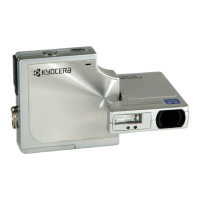
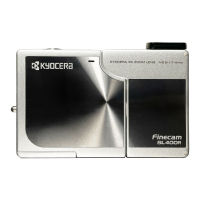
Kyocera Contax SL300RT* - User Manual

Kyocera Contax SL300RT*
133 pages
Print Icon
To Next Page IconTo Next Page
Loading...

Table of Contents

Questions and Answers

  • H
    Henry JordanSep 4, 2025
    How to fix a completely white picture on my Kyocera Digital Camera?
    • G
      Gary Jones MDSep 4, 2025
      If your picture comes out completely white on your Kyocera Digital Camera, the image is likely overexposed. To fix this, set LONG EXP to OFF or reset the camera settings.
  • S
    Shirley WalkerSep 18, 2025
    Why does my Kyocera Digital Camera display 'NO IMAGE'?
    • G
      graywilliamSep 18, 2025
      The 'NO IMAGE' message on your Kyocera Digital Camera indicates that nothing is recorded on the memory card. Insert a memory card that has been used to take pictures.
  • F
    Francis JonesSep 16, 2025
    Why can't I erase an image on my Kyocera Contax SL300RT* Digital Camera?
    • J
      Justin BoydSep 16, 2025
      If you cannot erase an image on your Kyocera Digital Camera, it might be because the image file was recorded using a different device. The image cannot be erased using this camera. You can use FORMAT to erase the image, but this will erase all the images on the card.
  • C
    Christian JohnsonSep 14, 2025
    Why can't I erase an image on my Kyocera Contax SL300RT* and the [ ] icon appears?
    • E
      Erik CooperSep 14, 2025
      If you cannot erase an image on your Kyocera Digital Camera and the [ ] icon appears, it means the image is protected. You need to unprotect the image first.
  • S
    Stacy SmithSep 12, 2025
    Why can’t I rotate or protect images or specify DPOF settings on my Kyocera Contax SL300RT* Digital Camera?
    • E
      Edward BrockSep 12, 2025
      If you can’t rotate or protect images or specify DPOF settings on your Kyocera Digital Camera, the SD memory card is likely write-protected. Release the write-protection for the card to enable these functions.
  • D
    Dr. Ethan ParkSep 12, 2025
    I cannot charge the battery on my Kyocera Digital Camera. Or charging stops. Why does the caution LED flashes slowly?
    • J
      James JohnsonSep 12, 2025
      If you cannot charge the battery on your Kyocera Digital Camera, or if charging stops and the caution LED flashes slowly, it's likely that the charging protection circuit has been activated due to the ambient temperature being too high or too low. Charge the battery when the ambient temperature is between 10°C and 30°C.
  • M
    Mary CarterSep 9, 2025
    Why is the caution LED flashing quickly on my Kyocera Contax SL300RT* Digital Camera?
    • B
      Brittany BrownSep 9, 2025
      If the caution LED is flashing quickly on your Kyocera Digital Camera, it is a camera shake warning, indicating that the shutter speed is slow. To resolve this, place the camera on a stable surface to take the picture.
  • D
    diananealSep 7, 2025
    Why is the caution LED flashing slowly on my Kyocera Contax SL300RT*?
    • L
      loriclineSep 7, 2025
      If the caution LED is flashing slowly on your Kyocera Digital Camera, it indicates that the flash is charging. Briefly take your finger off the shutter release button and wait.
  • D
    Dominic BoyerSep 5, 2025
    Why does nothing appear on the LCD monitor of my Kyocera Contax SL300RT*?
    • J
      Jamie BirdSep 5, 2025
      If nothing appears on the LCD monitor of your Kyocera Digital Camera, it could be due to a couple of reasons. The lithium-ion battery pack may be flat or not inserted. Load a charged lithium-ion battery pack into the camera. Alternatively, the Power Save function may have switched the camera off. Press the POWER button again to switch the camera back on.
  • A
    Anthony RichAug 20, 2025
    Why does my Kyocera Contax SL300RT* say 'MEMORY CARD FULL'?
    • J
      Joseph Scott Jr.Aug 21, 2025
      The 'MEMORY CARD FULL' message on your Kyocera Digital Camera indicates that there is not enough space available on the memory card to record more images. To resolve this, insert a new memory card, erase unwanted images from the existing card, or reduce the image size or quality settings to free up space.

Summary

Introduction

How to Use this Instruction Manual

Explains how to effectively use the camera manual for optimal understanding.

Handling Precautions

Details essential safety measures and guidelines for operating the camera.

Camera Preparations

Inserting the Battery Pack

Step-by-step guide on how to correctly insert the battery pack into the camera.

Loading the Memory Card

Instructions on how to properly load the memory card into the camera slot.

Setting the Date and Time

Guide on setting the camera's date and time for accurate photo metadata.

Basic Operations

Taking Pictures - Shooting Still Images

Explains the fundamental steps for capturing still photographs with the camera.

Connecting the Camera to a Computer

Provides instructions on how to connect the camera to a computer for image transfer.

Techniques for Taking Pictures

Using Continuous Shooting Mode

Details how to use the camera's continuous shooting feature for capturing action.

Conserving Battery Power

Offers methods to extend battery life and reduce power consumption during use.

Using C Camera Mode, N Continuous Shooting Mode and M Movie Mode

Using the Flash

Explains the various flash modes and how to use them effectively for different shooting conditions.

Determining the White Balance

Guides on setting white balance to ensure accurate color reproduction under various lighting.

Using the Playback Mode Functions

[PROTECT] Protecting Images from Accidental Erasing

Explains how to protect important images from being accidentally deleted.

[AUTO PLAY] Displaying Images Automatically as a Slideshow

Describes how to set up and play automatic slideshows of captured images.

Using the SET UP Mode Functions

[FORMAT] Initializing Memory Cards

Details the process of formatting memory cards to prepare them for use.

[LANGUAGE] Selecting the Menu Language

Guides on changing the camera's menu language for user preference.

Appendix

Troubleshooting

Provides solutions for common problems encountered while using the camera.

Basic Glossary of Digital Camera Terms

Defines essential digital camera terminology for better understanding.

Kyocera Contax SL300RT* Specifications

General IconGeneral
BrandKyocera
ModelContax SL300RT*
CategoryDigital Camera
LanguageEnglish

Related product manuals