EasyManua.ls Logo

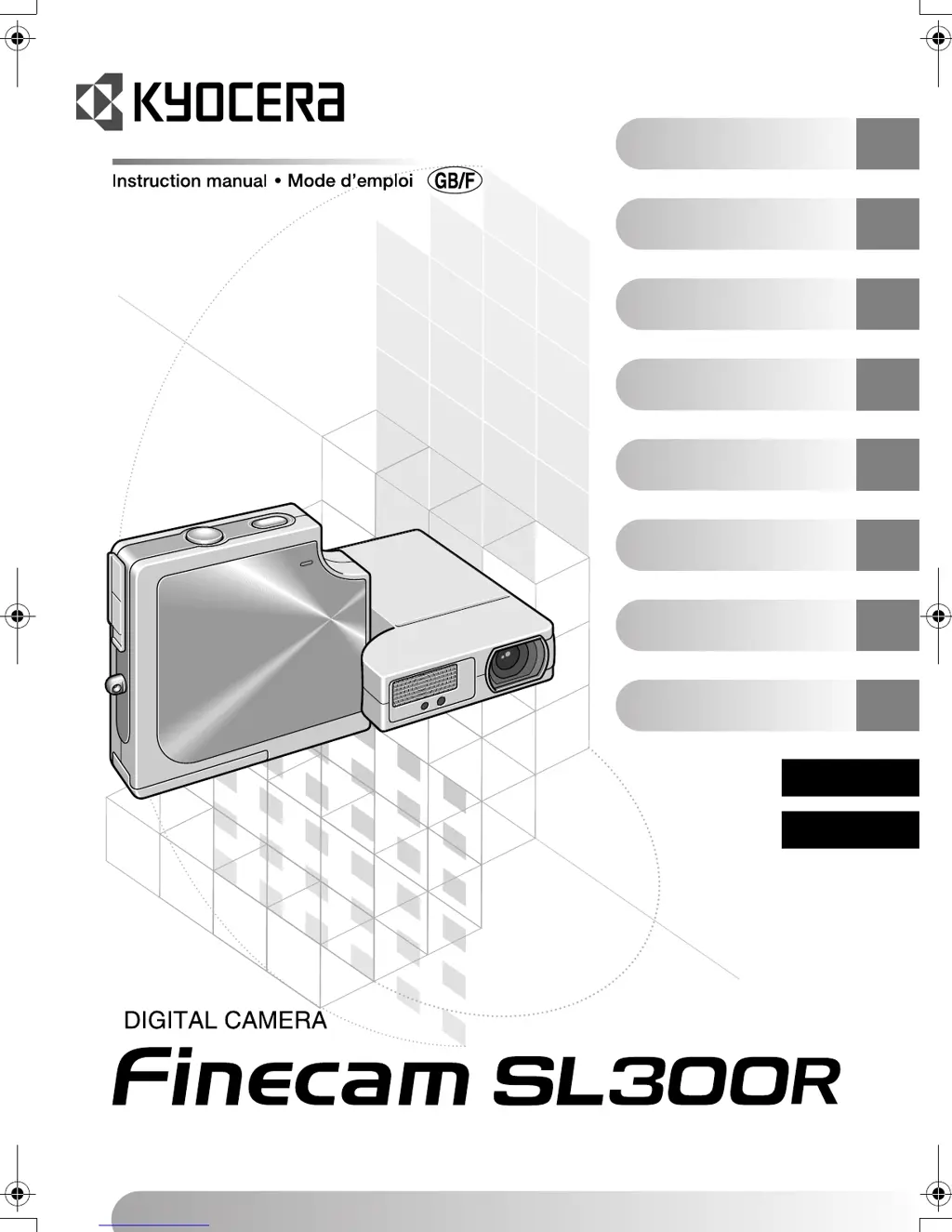
Kyocera FineCam SL300R - User Manual

Kyocera FineCam SL300R
134 pages
Print Icon
To Next Page IconTo Next Page
Loading...
&DPHUD3UHSDUDWLRQV
3UpSDUDWLIVGHODSSDUHLOSKRWR
%DVLF2SHUDWLRQV
)RQFWLRQQHPHQWGHEDVH
7HFKQLTXHVIRU7DNLQJ3LFWXUHV
7HFKQLTXHVGHSULVHGHYXHV
0RGH
C
0R GH
N
0RGH
M
0RGH
C
0R GH
N
0RGH
M
3OD\EDFN0RGH
P
0RGHGHOHFWXUH
P
6(7830RGH
G
0RGH352*5$00(5
G
$SSHQGL[
$QQH[H
,QWURGXFWLRQ
,QWURGXFWLRQ
(1*/,6+
)5$1d$,6
Finecam Cover1_E,F.fm Page 1 Thursday, August 28, 2003 12:25 PM

Table of Contents

Questions and Answers

  • S
    sandrablackwellAug 19, 2025
    Why does my Kyocera Digital Camera battery not charge?
    • A
      allisonmccarthyAug 19, 2025
      There could be several reasons why your Kyocera Digital Camera battery isn't charging. Ensure a lithium-ion battery pack is loaded correctly. Check that the AC adapter is securely connected to both the camera and the power socket. Also, the battery pack terminals may be soiled; try wiping them with a soft, clean cloth.
  • A
    Arthur FrancisAug 21, 2025
    What to do if my Kyocera Digital Camera says 'MEMORY CARD FULL'?
    • D
      Daniel RogersAug 22, 2025
      If your Kyocera Digital Camera displays 'MEMORY CARD FULL', it means there isn't enough space on the memory card. You can insert a new memory card or erase unwanted images. Alternatively, reducing the image size or quality might allow you to take more pictures.
  • A
    Ashley MoralesAug 23, 2025
    What does it mean if my Kyocera Digital Camera says 'NO CARD'?
    • H
      Heather MckeeAug 25, 2025
      If your Kyocera Digital Camera displays 'NO CARD', it means that a memory card is not inserted into the camera. Insert a memory card to resolve this issue.
  • L
    Lauren SkinnerAug 26, 2025
    What to do if my Kyocera Digital Camera displays 'CARD ERROR' or 'UNSUPPORTED FORMAT'?
    • J
      Justin GutierrezAug 26, 2025
      If your Kyocera Digital Camera shows 'CARD ERROR' or 'UNSUPPORTED FORMAT', it could be due to several reasons. It may be that you are using a card that was formatted on another device, so format the memory card in the camera. The format of the memory card may not be compatible with this camera; insert a new memory card or format the current one. Also, check if the card is inserted correctly and re-insert it if necessary.
  • M
    Mrs. Anita BaileyAug 28, 2025
    Why is there no image on my Kyocera Digital Camera LCD monitor?
    • A
      Anthony StanleyAug 28, 2025
      If there is no image on the LCD monitor of your Kyocera Digital Camera, the camera may have entered Sleep mode after a period of inactivity. Press the shutter release button halfway or press any other camera button to restore the camera to Shooting mode. If there is something generating a magnetic field close to the camera, move the camera further away from the magnetic object.
  • S
    stanley82Aug 29, 2025
    What to do if nothing appears on my Kyocera Digital Camera LCD monitor?
    • W
      William JonesAug 30, 2025
      If nothing appears on your Kyocera Digital Camera LCD monitor, the lithium-ion battery pack may be flat or not inserted. Load a charged lithium-ion battery pack into the camera and recharge it. Alternatively, the Power Save function may have switched the camera off. Press the POWER button again to switch the camera back on.
  • M
    Michael BradfordSep 1, 2025
    Why I cannot charge the battery or charging stops, and the caution LED flashes slowly on my Kyocera Digital Camera?
    • L
      Laura PrinceSep 1, 2025
      If you cannot charge the battery, charging stops, and the caution LED flashes slowly on your Kyocera Digital Camera, the charging protection circuit may have been activated because the ambient temperature is too high or too low. Charge the battery when the ambient temperature is between 10°C and 30°C. Note that charging is possible between 5°C and 40°C but will take slightly longer.
  • M
    Miss Savannah Cooper DVMSep 2, 2025
    What does it mean if my Kyocera Digital Camera displays 'WRITE PROTECT'?
    • A
      Ana MoraSep 2, 2025
      If your Kyocera Digital Camera displays 'WRITE PROTECT', it means the SD memory card is write-protected. You should release the write-protection for the card or use another memory card.
  • K
    Kathryn CollinsSep 4, 2025
    Why is my Kyocera Digital Camera getting hot?
    • K
      Kelsey CookeSep 4, 2025
      Your Kyocera Digital Camera may get hot because a strong current flows through it when the LCD monitor is used, especially if used for an extended period. While this is not a fault, you should leave the camera for a while before using it again.
  • S
    Sergio RobertsSep 6, 2025
    Why is the caution LED flashing slowly on my Kyocera Digital Camera?
    • J
      Jessica JonesSep 7, 2025
      If the caution LED is flashing slowly on your Kyocera Digital Camera, it indicates that the flash is charging. Briefly take your finger off the shutter release button and wait.

Summary

Camera Preparations

Inserting the Battery Pack

Step-by-step guide to correctly insert the battery pack into the camera.

Removing the Battery Pack

Instructions for safely removing the battery pack from the camera.

Charging the Battery

Procedure to charge the camera's rechargeable battery pack.

Loading the Memory Card

How to insert a memory card into the camera.

Switching the Camera On

Guide on powering on the digital camera.

Setting the Date and Time

Instructions for setting the camera's date and time.

Basic Operations

Taking Pictures - Shooting Still Images

Step-by-step guide to taking still photographs with the camera.

Shooting Movies

Instructions for recording video clips with sound on the camera.

Viewing Images - Still Image Playback

How to view still images captured by the camera on the LCD monitor.

Deleting Unwanted Images - Erasing Images

Procedure for deleting individual unwanted still or movie images.

Connecting the Camera to a Computer

Overview of connecting the camera to a computer for image transfer.

Connecting to a Windows PC

Detailed steps for connecting the camera to a Windows PC.

Viewing images on a Windows PC

Steps to view images on a Windows PC after connecting the camera.

Connecting to a Macintosh

Overview of connecting the camera to a Macintosh computer.

Techniques for Taking Pictures

Using Focus Lock to Take Pictures

How to lock focus and exposure on a subject not in the center.

Using the Zoom Button - Optical Zoom and Digital Zoom

Explains how to use optical and digital zoom for composing shots.

Shooting modes

Overview of the 7 available shooting modes for different subjects.

Using Continuous Shooting Mode

Capturing multiple shots rapidly for action or to not miss moments.

Using Camera, Continuous Shooting and Movie Modes

Playback Mode Functions

Set Up Mode Functions

Kyocera FineCam SL300R Specifications

General IconGeneral
BrandKyocera
ModelFineCam SL300R
CategoryDigital Camera
LanguageEnglish

Related product manuals