
 Need help?
Do you have a question about the Kyocera ECOSYS P2135d and is the answer not in the manual?
Details legal notices, software notices, and tradenames related to the printer.
Contains IBM Program License Agreement and Monotype Imaging License Agreement terms.
Provides information on radio frequency transmitters, caution labels, and ozone concentration.
Explains safety symbols used in the manual, including danger, warning, and caution.
Details environmental requirements and other precautions for safe printer installation.
Outlines important safety measures and handling procedures when using the machine.
Describes the structure and content of the operation guide.
Explains typographical conventions used in the operation guide for clarity.
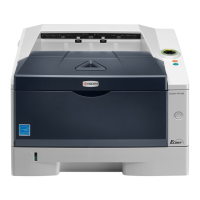
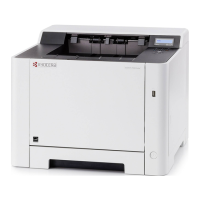
Identifies and illustrates the parts located at the front of the printer.
Identifies and illustrates the parts located at the rear of the printer.
Details the components and indicators of the printer's operation panel.
Explains the meaning of various status indicators on the printer.
Describes the function and operation of the printer's control keys.
Provides general advice and notes on selecting the right paper for optimal printer performance.
Offers guidelines on paper condition, composition, sizes, smoothness, and basis weight.
Explains how to set paper types for different sources and lists compatible paper types.
Guides on preparing paper, such as fanning and straightening, before loading.
Step-by-step instructions for loading paper into the printer's paper cassette.
Step-by-step instructions for loading paper into the printer's multi-purpose tray.
Explains how to connect the printer using USB and power cables.
Guides for installing the printer driver on Windows and Macintosh operating systems.
Details the process of printing documents from application software.
Covers using the Status Monitor for printer status and the Configuration Tool for settings.
Provides an overview of basic maintenance tasks and toner container information.
Step-by-step guide to replacing the toner container and frequency of replacement.
Details when and how to replace the printer's maintenance kit.
Instructions for cleaning internal printer components like the drum and charger.
Advice for storing the printer during long periods of non-use and for moving it.
Provides a table of common printer symptoms and suggested corrective actions.
Identifies print quality problems like blank pages, streaks, and blurriness, with solutions.
Explains the meaning of various indicator combinations for normal, maintenance, and error states.
Guides on locating and removing paper jams from different printer areas.
Lists available printer options, including memory, paper feeders, and network cards.
Details how to install and handle memory modules to expand printer capabilities.
Describes the PF-100 paper feeder for increasing paper capacity.
Explains the installation and function of the IB-23 network interface card.
Provides detailed technical specifications for ECOSYS P2035d and P2135d models.
Lists the environmental standards the machine conforms to, including sleep mode and duplex printing.









 To Next Page

 General