visit sprint.com/readynow for more information to get your phone up and running 1918
Web
Go Online
► Touch > > Browser.
• To go to a specific website, touch the
address bar and enter the Web address.
• To access and manage bookmarks, touch
> Bookmarks in the browser options
menu or next to the address bar and
then .
Find sports scores, news, and weather. Shop online. Tabbed browsing lets you browse the Web
just the way you want to.
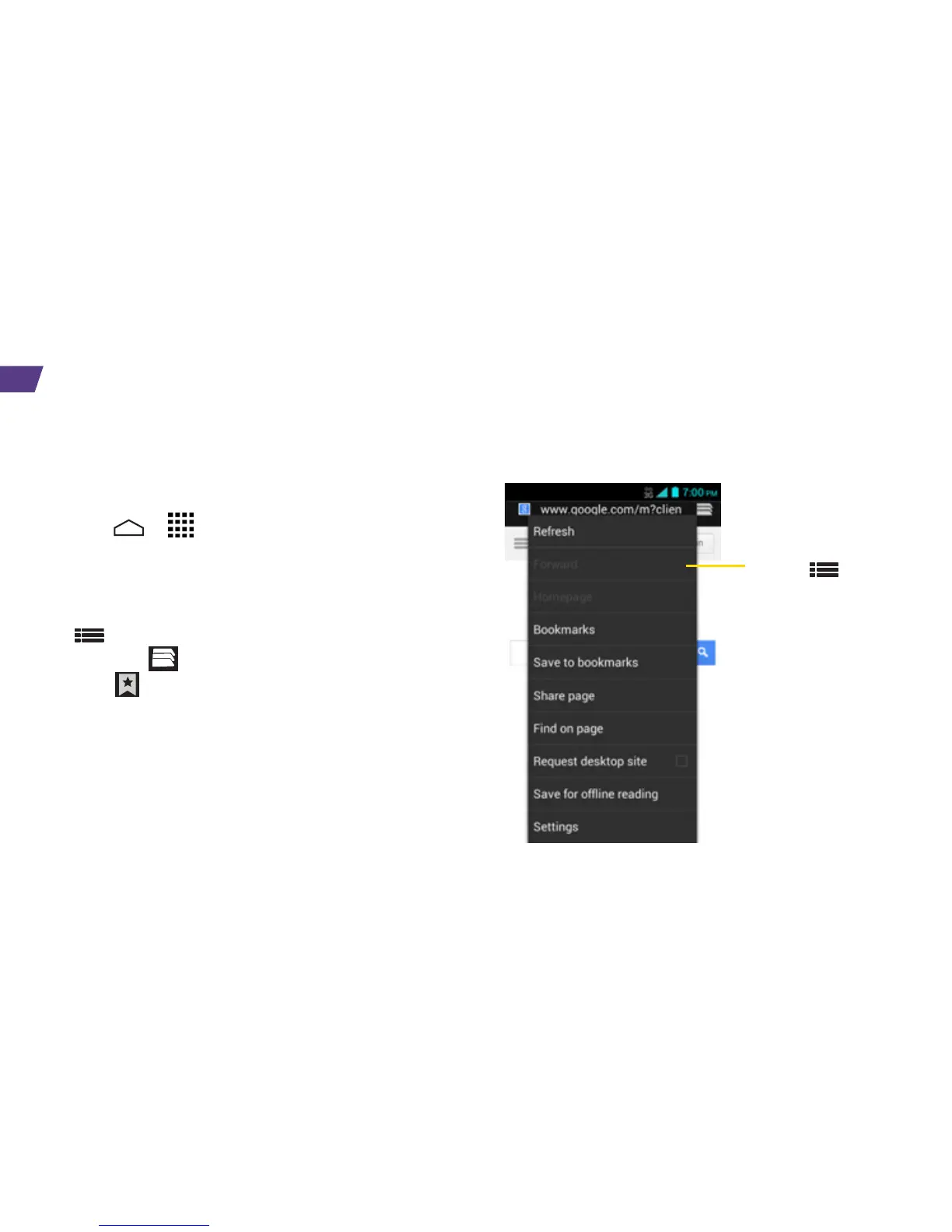
Touch to
open a menu
where you can
share a page,
access your
bookmarks,
refresh a page,
and more.




 To Next Page