9-13
Troubleshooting
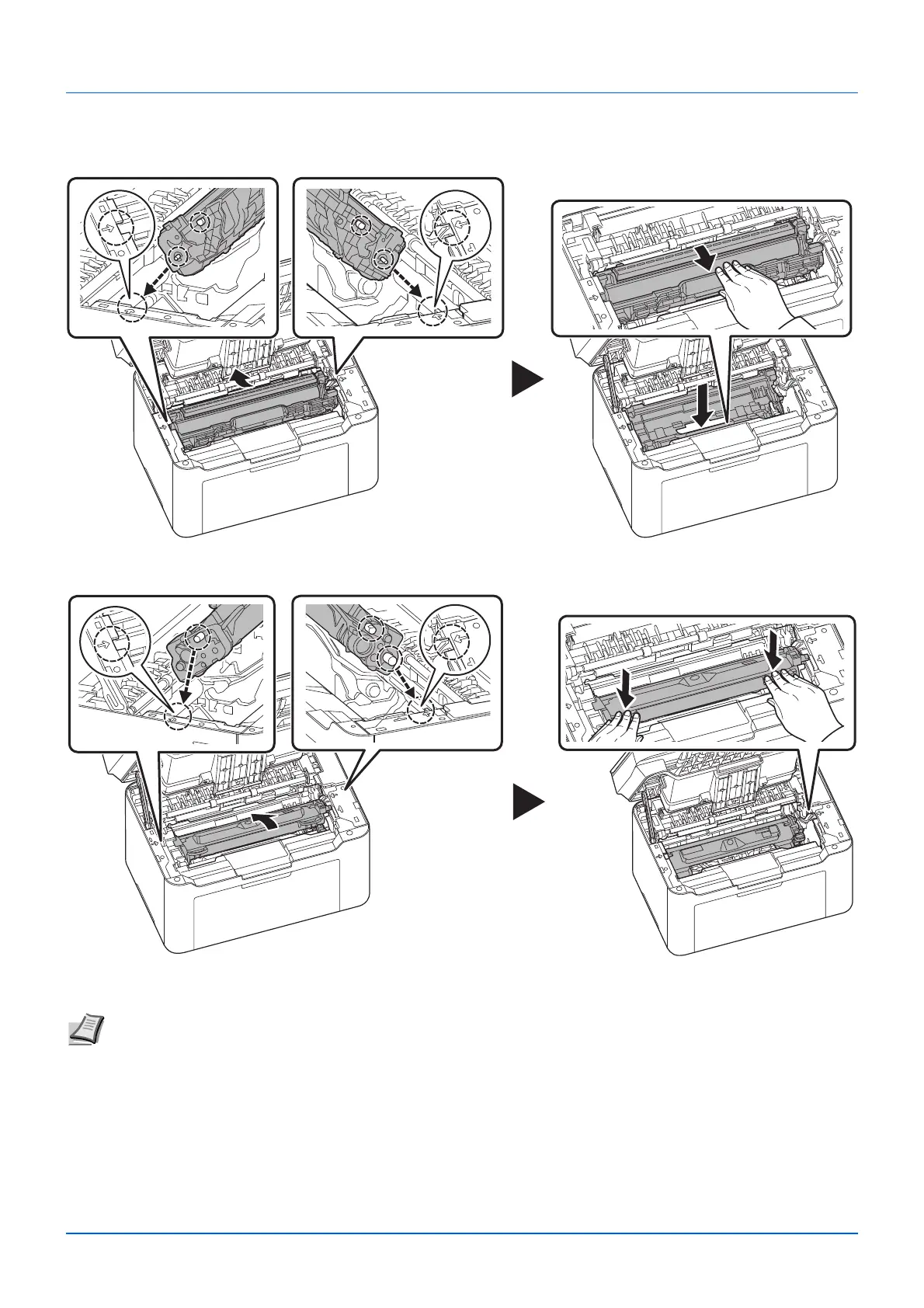
5 Return the removed drum unit to its position, aligning the guides at both ends with the slots in the machine. After that, press
down the drum unit lever until they click.
6 Set the toner cartridge to its position, aligning the guides at both ends with the slots in the machine. After that, press the
levers on both ends of the toner cartridge until they click.
7 Close the top cover.
The machine warms up and resumes printing.
Note If you hear a noise after closing the top cover, remove drum unit and toner cartridge and set them again.







 To Next Page