6-7
Machine transportation after setup > Procedure for the main unit transportation (floor to floor)
[CONFIDENTIAL]
(2)Install after transportation
1
Move the main unit to location to be installed, lay the floor plates and install the main
unit on the plates.
2
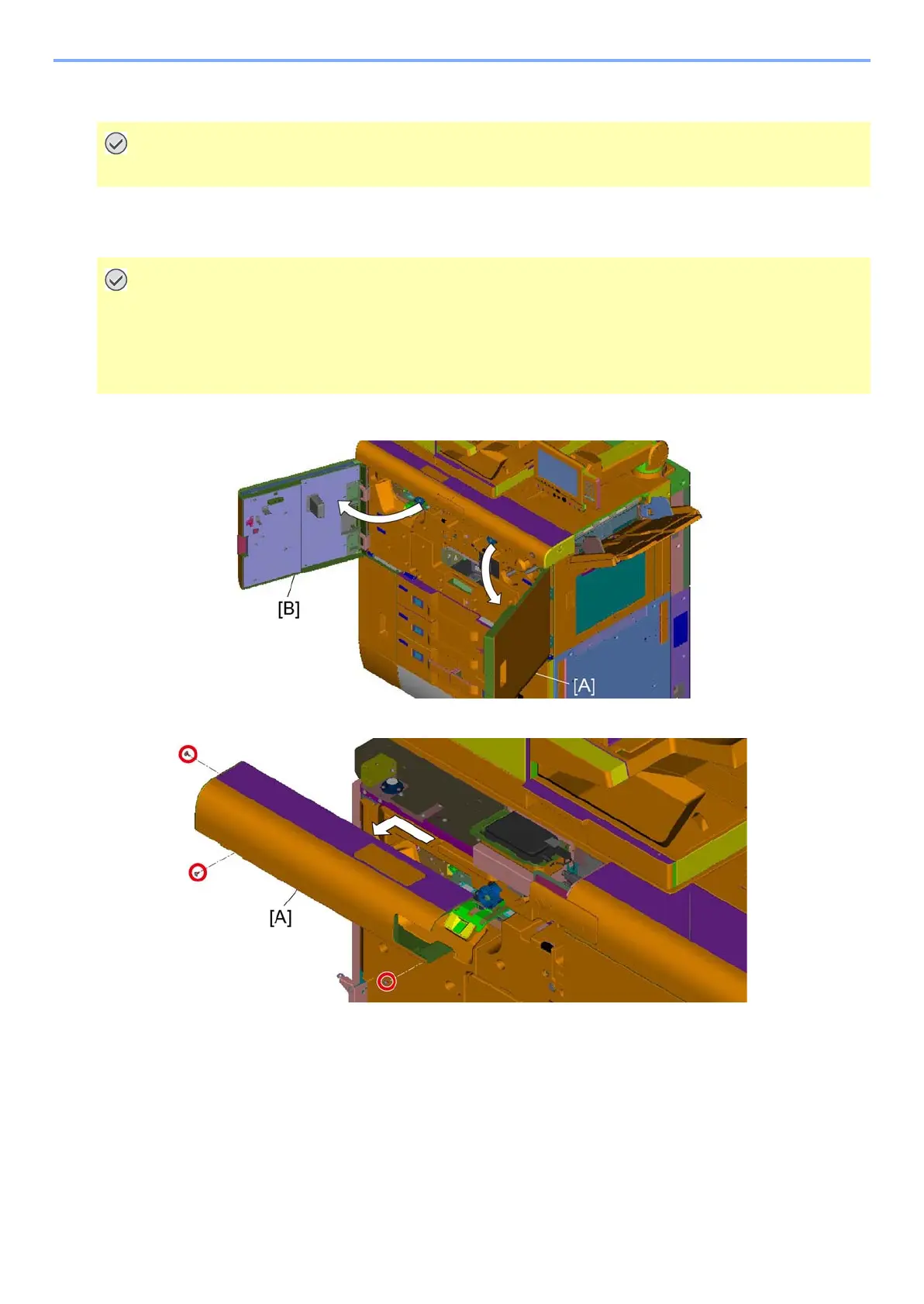
Open the front right upper cover [A] and the front left upper cover [B].
3
Remove the left front upper cover [A] in the direction of the arrow. (Screw x3)
Wear rubber gloves in handling. (If the liquid get your hands, rinse it immediately with water.)
• Floor flatness: 0.3 degree or less (Inclination has to be less than 5 mm against main unit length 1,000 mm.)
• Load capacity: 350 kg/m2 or more
In order to keep the level and adjust it accurate, it is recommended that place firm plates or the panel
underneath of the main unit.



 To Next Page