No.
FAX No.
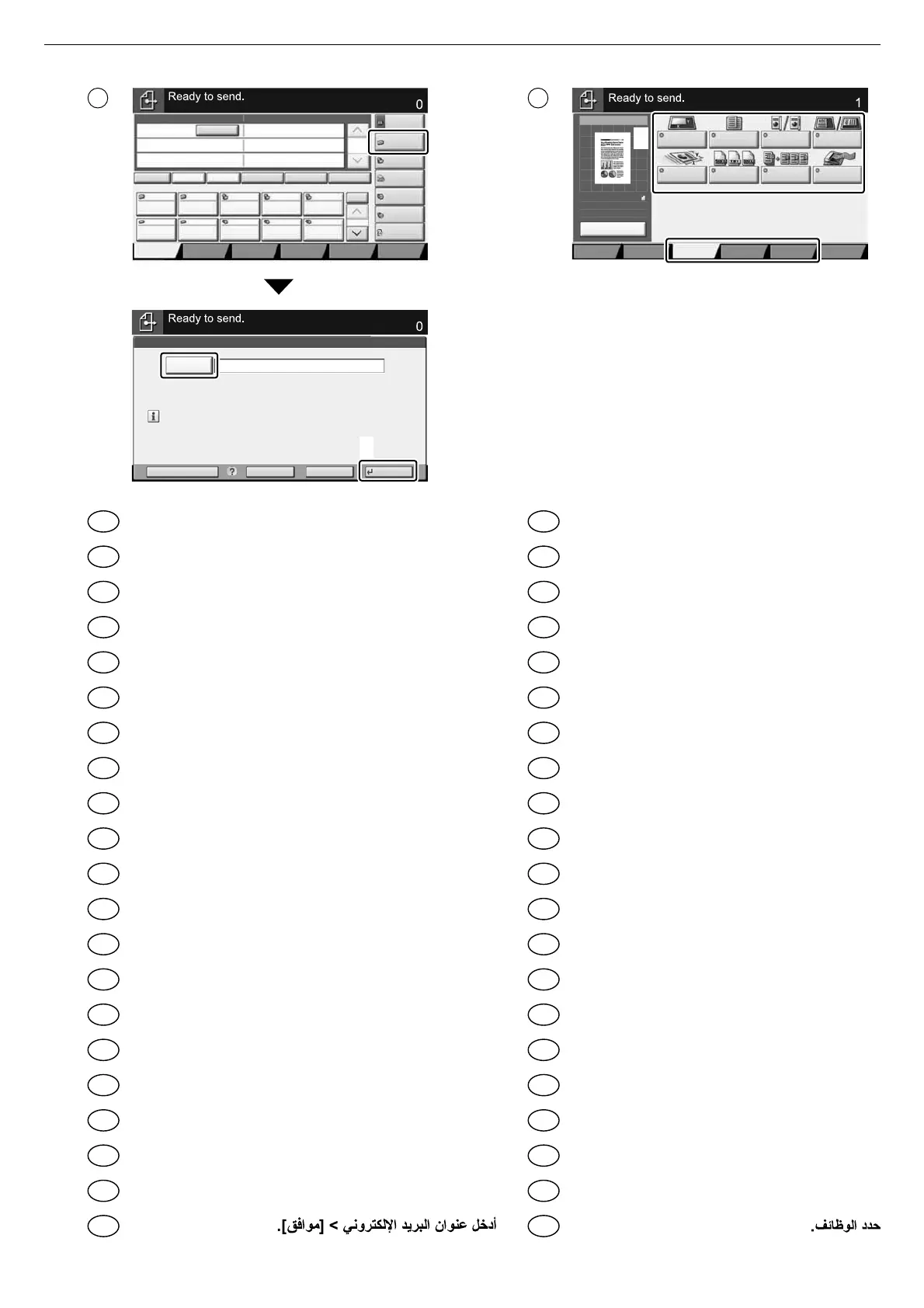
Enter Destination.
Add a new e-mail destination.
the address using the keyboard screen.
Enter Destination.
2
1
1
2
3 4
Enter destination E-mail address > [OK]
Introduïu l'adreça de correu electrònic de destinació > [Accepta]
Zadejte cílovou e-mailovou adresu > [OK]
Indtast destinationens e-mail-adresse > [OK]
E-Mail-Adresse des Ziels eingeben > [OK]
Εισάγετε τη διεύθυνση E-mail προορισμού > [OK]
Introduzca la dirección de e-mail de destino > [Aceptar]
Kirjoita kohdesähköpostiosoite > [OK]
Entrer l'adresse e-mail de destination > [OK]
Adja meg a célhely e-mail címét > [OK]
Immettere l'indirizzo e-mail della destinazione > [OK]
Voer het e-mailadres van de bestemming in > [OK]
Skriv inn e-postadressen > [OK]
Wprowadź adres e-mail miejsca docelowego > [OK]
Insira o endereço de e-mail de destino > [OK]
Introduza o endereço de e-mail de destino > [OK]
Introduceţi adresa de e-mail de destinaţie > [OK]
Введите адрес электронной почты адресата > [OK]
Ange e-postadressen för destinationen > [OK]
Hedef E-posta adresini girin > [Tamam]
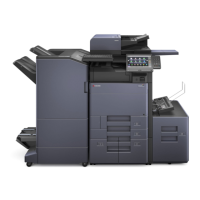
Select the functions.
Seleccioneu les funcions.
Vyberte funkce.
Vælg funktionerne.
Funktionen auswählen.
Επιλέξτε τις λειτουργίες.
Seleccione las funciones.
Valitse toiminnot.
Sélectionner les fonctions.
Válassza ki a funkciót.
Selezionare le funzioni.
Selecteer de functies.
Velg funksjonene.
Wybierz funkcje.
Selecione as funções.
Seleccione as funções.
Selectaţi funcţiile.
Выберите функции.
Välj funktionerna.
İşlevleri seçin.
EN
CA
CS
DA
DE
EL
ES
FI
FR
HU
IT
NL
NO
PL
PT-BR
PT-PT
RO
RU
SV
TR
AR
EN
CA
CS
DA
DE
EL
ES
FI
FR
HU
IT
NL
NO
PL
PT-BR
PT-PT
RO
RU
SV
TR
AR


 To Next Page