
 Need help?
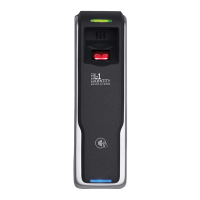
Do you have a question about the L-1 Identity Solutions 4G Lite and is the answer not in the manual?
Outlines safety precautions for operating and installing the devices, including ESD and handling guidelines.
Specifies PC, hardware, network, software, and SQL Server requirements for installation.
Step-by-step guide for installing, repairing, uninstalling, and upgrading SecureAdmin Lite Server.
Step-by-step guide for installing, modifying, repairing, uninstalling, and upgrading SecureAdmin Lite Client.
Details connecting devices to power sources (12V DC, PoE) and network interfaces (Ethernet, RS-485).
Details configuration checks and ground fault checks for converters and devices before connecting to the network.
Provides step-by-step guides for registering devices via server and client methods.
Lists and explains common error messages encountered during SecureAdmin Lite installation, covering various issues.
 General
| Brand | L-1 Identity Solutions |
|---|---|
| Model | 4G Lite |
| Category | IP Access Controllers |
| Language | English |

 To Next Page
