Need help?
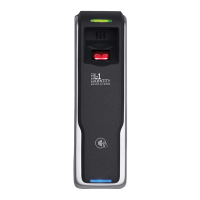
Do you have a question about the L-1 Identity Solutions 4G V-Flex Lite and is the answer not in the manual?
Safety precautions for device operation and installation.
Precautions for preventing electrostatic discharge when handling devices.
Guidelines for safe handling and installation of the devices.
Lists PC, hardware, network, and software requirements for installation.
Lists necessary hardware components for installation.
Lists required computer specifications for installation.
Details network requirements for 4G Lite devices.
Lists software prerequisites for installation.
Choosing network types (RS-485, Ethernet).
Details on using the RS-485 network protocol.
Specifies cable requirements for RS-485.
Details maximum cable lengths for RS-485.
Describes recommended network topology for RS-485.
Details on using the Ethernet network protocol.
Guidance on selecting power sources for devices.
Steps for installing SecureAdmin Lite Server.
Steps for installing SecureAdmin Lite Client.
Connecting devices to power sources.
Connecting devices to network interfaces.
How to make Ethernet connections to devices.
How to connect devices to RS-485 networks.
Step-by-step procedures for system start-up.
Checks to ensure devices are configured correctly for communication.
 General
| Brand | L-1 Identity Solutions |
|---|---|
| Model | 4G V-Flex Lite |
| Category | IP Access Controllers |
| Language | English |


 To Next Page