Dance Base MINI
#1
#2
#3
#4
HOLD BUTTON TO PAIR YOUR PAD
STATUS
BEAT/
Function 2:
Changing Base MINI RF channel
Switching on the channel change function is
possible within up to 30 seconds after turning
on the controller.
Base MINI controller can work on one of 4
channels in ISM 2.4GHz band.
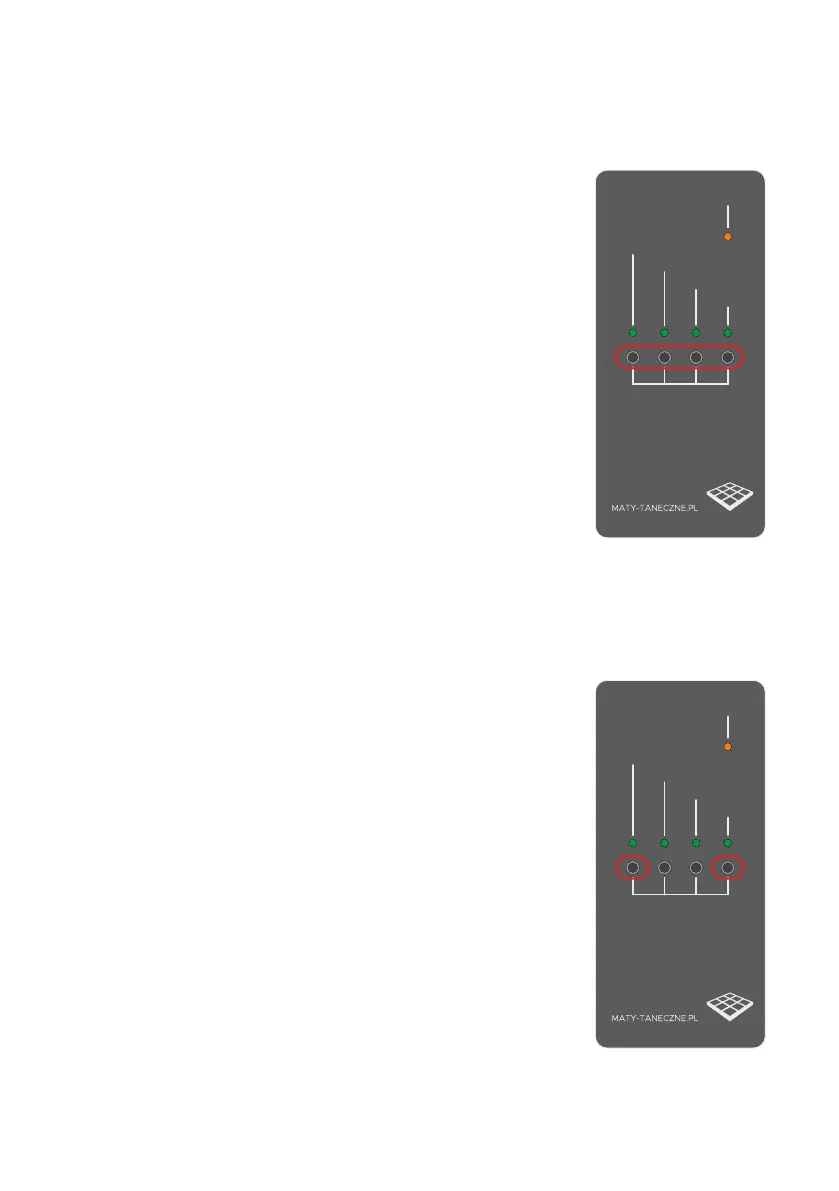
To activate the function of changing the
channel, press all 4 buttons (1+2+3+4)
simultaneously for at least 2 seconds. The
activation of the function is conrmed by
ashing of one of the #1/#2/#3/#4 LEDs,
which simultaneously signals the currently
selected channel (1-4).
Within 5 seconds after switching this function
on, you can change the channel using buttons
1-4.
The change of the channel is automatically
signaled by the ashing of the diode next to
the currently selected channel (1-4).
After 5 seconds of inactivity, all LEDs will ash
3 times and the new settings will be saved in
the device memory.
To view the channel monitoring function on
which the Base MINI controller works, press
simultaneously button 1 and button 4 for at
least 2 seconds. The activation of the function
is conrmed by ashing of one of the 1/2/3/4
LEDs, which simultaneously signals the
current operating channel (1-4). The LED
ashes as long as both buttons are pressed
(1+4)
Releasing the buttons ends the channel
preview procedure.
Dance Base MINI
#1
#2
#3
#4
HOLD BUTTON TO PAIR YOUR PAD
STATUS
BEAT/


 To Previous Page
 Loading...