The L-TEK Dance Base MINI is a compact wireless controller designed for use with dance pads, specifically optimized for StepMania. It facilitates the connection of up to four wireless dance pads to a computer via a USB port, enabling a seamless and untethered gaming experience.
Function Description:
The primary function of the Dance Base MINI is to act as a bridge between wireless dance pads and a computer. It receives signals from the pads and transmits them to the computer, allowing users to play rhythm games like StepMania without the need for physical cables connecting the pads to the computer.
Important Technical Specifications:
- Connectivity: USB for connection to a computer.
- Wireless Technology: Operates on one of four channels within the ISM 2.4GHz band for wireless communication with dance pads.
- Pad Support: Supports up to four individual wireless dance pads, each assigned to a specific channel (#1, #2, #3, #4) indicated by dedicated LEDs.
- Status Indicators: Features a "STATUS / BEAT" LED that indicates the device's operational status and flashes to the beat of the music during gameplay.
- Pairing Buttons: Four individual buttons, corresponding to each pad channel, are used for pairing new devices and changing RF channels.
Usage Features:
-
Initial Setup and Status Indication:
- When the Dance Base MINI is connected to a computer's USB port, the "STATUS / BEAT" LED lights up green, indicating a successful connection.
- Upon launching StepMania and selecting the L-TEK Lights controller in the game's LIGHTS options, the "STATUS / BEAT" LED will begin flashing orange. This flashing occurs in the Wheel MENU and during gameplay, synchronizing with the beat of the song.
-
Pairing New Devices (Function 1):
- The pairing function is accessible for up to 30 seconds after the Dance Base MINI is powered on.
- To initiate pairing for a specific channel, hold down one of the four channel buttons (#1, #2, #3, or #4) for at least 2 seconds. The LED corresponding to the selected channel will flash, indicating that the pairing function is active for that channel.
- Within 30 seconds of activating the pairing function, turn on the wireless dance pad. Simultaneously press buttons 3 and 4 on the dance pad (corresponding to the "Arrows Up" and "Down" on a DDR mat).
- Successful pairing is confirmed by three flashes of all LEDs on the Dance Base MINI controller, followed by the green LED on the dance pad lighting up.
- Once paired, the controller and the dance pad are immediately ready for use; no device restart is required.
-
Changing RF Channel (Function 2):
- The channel change function can be activated within 30 seconds of turning on the Dance Base MINI controller.
- To activate this function, press all four buttons (#1, #2, #3, #4) simultaneously for at least 2 seconds.
- Activation is confirmed by one of the #1/#2/#3/#4 LEDs flashing, which also indicates the currently selected channel (1-4).
- Within 5 seconds of activating the channel change function, you can select a new channel by pressing the corresponding button (1-4). The LED next to the newly selected channel will flash to confirm the change.
- If there is no activity for 5 seconds, all LEDs will flash three times, and the new channel settings will be saved in the device's memory.
-
Viewing Current RF Channel:
- To check which RF channel the Dance Base MINI controller is currently operating on, press buttons 1 and 4 simultaneously for at least 2 seconds.
- The activation of this monitoring function is confirmed by one of the 1/2/3/4 LEDs flashing, indicating the current operating channel.
- The LED will continue to flash as long as both buttons 1 and 4 are held down.
- Releasing the buttons ends the channel preview procedure.
Maintenance Features:
The manual does not explicitly detail specific maintenance features. However, based on the device's nature, general electronic device care practices would apply:
- Keep the device clean and free from dust.
- Avoid exposing it to extreme temperatures or moisture.
- Handle with care to prevent physical damage.
- Ensure proper ventilation if used for extended periods, although its low power consumption likely makes this less critical.
The L-TEK Dance Base MINI is designed for simplicity and ease of use, providing a robust wireless solution for dance game enthusiasts. Its intuitive LED indicators and button-based controls make pairing and channel management straightforward, enhancing the overall user experience.

 Need help?
 General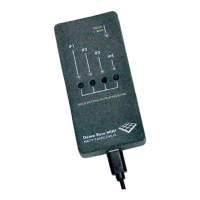

 To Next Page