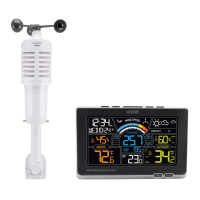
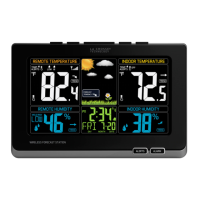
This document describes the La Crosse Technology Wind Speed Station, model 327-1418BW, a weather monitoring device that provides temperature, humidity, and wind speed readings, with optional add-on rain sensing capabilities.
Function Description:
The Wind Speed Station serves as a comprehensive weather monitoring system, displaying indoor and outdoor temperature and humidity, as well as current and historical wind speed data. It supports custom alerts for high wind speed, high feels like temperature, and low feels like temperature. With an optional add-on rain sensor (TX145R, sold separately), it can also track current and historical rainfall. The station receives data wirelessly from two main sensors: a Temperature/Humidity (TH) Sensor (TX141TH-Bv4) and a Glide Wind Sensor (TX145W).
Important Technical Specifications:
Weather Station (327-1418BW):
- Temperature Range: 32°F to 122°F (0°C to 50°C)
- Humidity Range: 10% - 99% RH
- Power: 2-AA, IEC, LR6 batteries (not included)
- Battery Life: Over 12 months
- Dimensions: 3.78" L x 1.14" W x 7.02" H (9.60cm L x 2.90cm W x 17.83cm H)
TH Sensor (TX141TH-Bv4):
- Temperature Range: -40°F to 140°F (-40°C to 60°C)
- Humidity Range: 10% - 99% RH
- Transmission Range: Over 330 feet (100 meters) in open air RF 433MHz
- Update Interval: About every 51 seconds
- Power: 2-AA, IEC, LR6 batteries (not included)
- Battery Life: Over 24 months
- Dimensions: 1.58" L x 0.83" W x 5.08" H (3.99cm L x 2.10cm W x 12.99cm H)
Glide Wind Speed Sensor (TX145W):
- Wind Speed Range: 0 to 111 MPH (0 to 178 KMH)
- Transmission Range: Over 330 feet (100 meters) in open air RF 433MHz
- Update Interval: About every 31 seconds
- Power: 3-AA, IEC, LR6 batteries (not included)
- Battery Life: Over 36 months
- Dimensions: 5.14" L x 5.14" W x 13.37" H (13.06cm L x 13.06cm W x 33.96cm H)
Usage Features:
Power Up and Sensor Connection:
- Requires 2-AA batteries for the TH Sensor, 3-AA batteries for the Glide Sensor, and 2-AA batteries for the Wind Speed Station.
- Sensors automatically connect to the station once powered up.
- Troubleshooting steps are provided for sensor connection issues, including removing power, pressing buttons, and installing new alkaline batteries. A factory restart option is available by holding the ALERTS and EXIT/RAIN buttons simultaneously.
- Accessed by holding the SET/TIME button.
- Allows adjustment of various settings including Beep ON/OFF, 12HR/24HR Time, Hour, Minute, Year, Month, Date, Month/Date or Date/Month format, Fahrenheit/Celsius, Decimal ON/OFF, Wind Speed MPH or KMH, and Rain Inches or Millimeters.
- The weekday sets automatically based on Year, Month, and Date.
Custom Calendar Display:
- The DATE button toggles between Full Weekday, Weekday/Month/Date, Month/Date/Year, and No Calendar display options.
Time or Rain Display:
- If an add-on Rain Sensor (TX145R) is connected, the station displays rain readings in place of the time.
- It automatically switches to "RAIN NOW" readings when rainfall begins and returns to time display after 15 minutes of no additional rainfall.
- The SET/TIME button can be used to manually return to the Time display from the Rain display.
Temperature/Humidity Readings:
- Indoor and outdoor readings share the same display space.
- Hold the IN/OUT button to enter the Temperature Selection Menu, then use +/- buttons to select Outdoor, Indoor, or Auto-scroll.
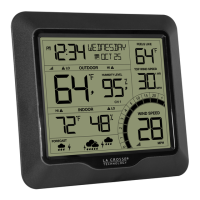
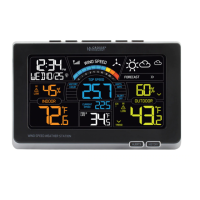
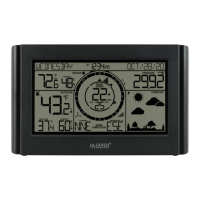
- The display shows current outdoor temperature, outdoor humidity, "Feels Like" temperature (combination of temperature and wind speed), low battery icon for the TH sensor, reception icon, indoor temperature, and indoor humidity.
- Alert icons indicate if an alert is armed.
Temperature/Humidity Records:
- Pressing IN/OUT toggles through indoor/outdoor temperature and humidity records with time and date stamps.
- Records include Outdoor High/Low Temperature, Outdoor High/Low Humidity, Indoor High/Low Temperature, and Indoor High/Low Humidity.
- Records can be reset by viewing the desired value and holding the MINUS (-) button until dashes appear.
Wind Speed Readings:
- The display shows current wind speed, top speed history (24 hours, 7 days, 1 month, 1 year), last hour's top speed, a wind speed graph, wind speed alert icon, reception icon for the Glide Sensor, and low battery icon for the Glide Sensor.
- The wind cup icon animates according to actual wind speed.
Top Speed History:
- The WIND button toggles through wind speed records (24 hours, 7 days, 1 month, 1 year) with time and date stamps.
- When viewing the Monthly Record, the PLUS (+) button toggles through the current and past 11 months of top speed records.
Reset Wind Records:
- View the desired wind speed record and hold the MINUS (-) button until dashes appear to reset it.
Custom Alerts:
- The station supports custom alerts for High Wind Speed, High Feels Like Temperature, and Low Feels Like Temperature.
- Hold the ALERTS button to enter the Alert Settings Menu. Use +/- buttons to activate/deactivate alerts and adjust values.
- When an alert value is reached, the value and alert icon flash, and the station beeps 5 times per minute until the value is out of range. Any button press stops the alert sound.
Viewing Rain History (Add-on Sensor Required):
- The EXIT/RAIN button toggles through rain history records: Rain Now, Rain Past 1 Hour, Rain Past 24 Hours, Rain Past 7 Days, Rain 1 Month, Rain Year, and Rain Total since Setup.
- When viewing the Monthly Record, the PLUS (+) button toggles through the current and past 11 months of rainfall totals.
- All rainfall history values reset after a battery change or restart.
Reset Rain Records:
- View the desired rainfall record and hold the MINUS (-) button until dashes appear to reset it to zero.
Sensor Mounting:
Temperature/Humidity Sensor Mounting:
- Can be mounted with a screw through the top hole or hung from the back with a nail.
- Should be mounted vertically in a protected, well-shaded area to avoid direct weather elements and ensure accurate readings.
- A Sensor Weather Shield can be purchased for additional protection.
- Online video instructions are available at bit.ly/th_sensor_mounting.
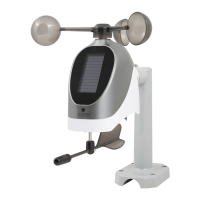
Glide Wind Sensor Mounting:
- Ideally mounted on the tallest object in the area, avoiding obstructions like eaves, rooflines, or trees.
- Ensure all screws on the Mounting Bracket, Wind Cups, and Battery compartment are securely fastened.
- Wind Cups should be on top.
- The solar panel should face the sun to optimize battery life (batteries are still required).
- Online video instructions are available at bit.ly/wind_sensor_mounting.
- Basic Installation: Mount the mast to a flat surface with four screws, then place and secure the sensor on top, ensuring the solar panel faces the sun.
- Flexible Installation: Remove a small insert from the bracket and install a short arm with a hand screw. This allows the sensor to be attached to angled locations and leveled.
Maintenance Features:
Battery Care:
- Do not mix different brands, types, or new and old batteries.
- Always purchase the correct size and grade of battery.
- Replace all batteries at once.
- Clean battery contacts before installation.
- Ensure correct polarity (+ and -).
- Remove batteries during periods of non-use to prevent leakage.
- Promptly remove used batteries.
- Follow local regulations for battery recycling and disposal.
FCC Statement:
- The device complies with Part 15 of FCC Rules, designed to provide reasonable protection against harmful interference.
- Users are advised to reorient or relocate the receiving antenna, increase separation between equipment and receiver, or connect equipment to a different circuit if interference occurs.
- Any unauthorized changes or modifications could void the user's authority to operate the equipment.
Warranty:
- La Crosse Technology, Ltd. provides a 1-year limited time warranty from the date of purchase against manufacturing defects.
- Users can double their warranty for free by registering their product online and opting to receive occasional product emails.
Support:
- Self-help resources, online support, and phone support (1.608.782.1610, Mon-Fri 8am-6pm CST) are available.
- Social media outlets (YouTube, Twitter, Facebook, Instagram) are available for questions, setup videos, and feedback.

 Need help?
 General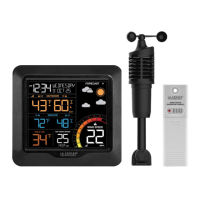


 To Next Page