38
“Charge”, “Discharge”, “Test” and “Refresh” mode. To change the operating mode for
individual rechargeable battery, first press corresponding NUMBER key then press the
MODE key.
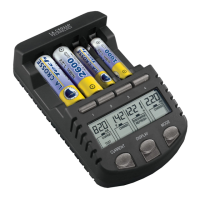
DISPLAY key
Press and release to select the displays of the charging current (in mA), time elapsed (in
hh:mm), the terminal voltage (in V) and accumulated capacities (in mAh or Ah) during the
charging or discharging process.
To change the display content of a particular rechargeable battery, first press corresponding
NUMBER key then press the DISPLAY key.
CURRENT key
Press to select the amount of current to be applied (within the first 8 seconds after batteries
are inserted) in different operating modes (also see “Start charging the rechargeable
batteries” below).
OPERATING MODES OF THE CHARGING UNIT
This powerful charging unit provides the following operating modes:
a. Charge up the rechargeable battery (CHARGE) – to charge up the rechargeable
battery, automatically switch to trickle charge after rechargeable battery is full.


 To Next Page