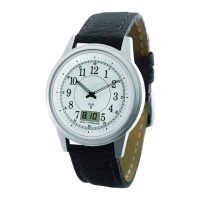
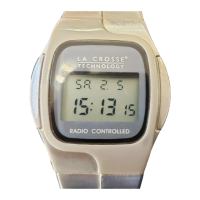
Analog Watch Instruction Manual
Welcome to the world of radio-controlled timekeeping
technology. We hope you will enjoy the convenience of
never having to set your watch again and the confidence of
knowing exactly what time it is. Your new radio-controlled
watch is a special edition produced by La Crosse
Technology specifically for E. Howard. It will provide you
with years of trouble free, easy operation and the most
accurate time in the world.
1. Description of WWVB
The most accurate clock in the United States is the
atomic cesium clock located at:
U.S. Department of Commerce
National Institute of Standards and Technology
(NIST)
Boulder, Colorado
Your atomic watch receives time signals on long wave
radio (60 kHz) from the NIST operated WWVB time
signal transmitter located in Fort Collins, CO and
coupled with the atomic cesium clock in Boulder. Until
recently, the transmitter was used predominantly by
telephone companies, radio and television stations,
navigations of planes and ships and for scientific
purposes in laboratories. Now this precise signal can
be received by the atomic watch technology.
Your atomic watch receives the WWVB time signal via
its built-in antenna system. The proper function of the
receiver contained in this product has been tested as a
prototype with regard to its sensitivity and range of
reception in different places throughout the United
States.
Any claim for warranty – express or implied – due to the
watch’s failure to properly receive the radio signal due
to interference, whatever may be the source of this
interference, are hereby expressly excluded in all
respects. For more information about the WWVB-
Radio signal please visit the NIST website at:
www.boulder.nist.gov
.
For actual signal coverage in North America please
visit:
www.boulder.nist.gov/timefreq/stations/wwvbcoverage.
htm.
The atomic watch’s internal computer processes the
received time signals and automatically synchronizes
the hands, date and the change over between daylight
saving time and standard time as well as the leap year
accordingly. The signal reception and synchronization
occur automatically every night and manually upon
demand.
Even outside of the reception range your atomic watch
will continue to keep excellent time. The highly
accurate 32 kHz quartz movement will ensure precise
time keeping.
2. Functional Description
T1 Button (mode):
The T1 button has two functions:
1. Switches the digital display between date (for
example 12.19) and seconds (for example 32).
2. Receives the WWVB time signal and synchronizes
the time automatically if you press it for longer
than 3 seconds.
T2 button (adjust):
Depending on the mode the T2 button either:
1. Indication of adjusted time zone (T2 < 3 sec).
2. Advances the time zone in 1-hour increments
when setting the time zones.
3. Advances the hands when manually synchronizing
the watch.
3. Synchronizing the Time (signal reception)
The signal reception and synchronization occurs
automatically every night. At any desired time you can
perform a “manual” reception by pressing the T1 button
for at least 3 seconds. The hands will set to the 12
o’clock position (if the hands set to a time other than
exactly 12 o’clock they must be repositioned. See
under 5. Replacing the battery) during reception and
will reset themselves thereafter. Note that your atomic
watch will not receive the WWVB time signal if set to a
time zone other than Pacific, Mountain, Central or
Eastern standard time.
4. Setting the Time Zone
The time preset by the factory might not be the correct
time for the time zone you are in. To set the correct
time zone please follow the instructions listed below:
1. Press the T2 button. The digital display will
change from displaying the date (for example,
12.19) to displaying the current hour (for example
P02 PM). The letter P, M, C or E in front of the
digitally displayed hour stands for Pacific,
Mountain, Central or Eastern standard time zone
respectively. If no letter is displayed in front of the
hour a different time zone has been selected.


 To Next Page
 General