WIRELESS TEMPERATURE & HUMIDITY STATION COMBO PACK
5 | PAGE
3. Press SET to confirm and move to 12/24 hour time format.
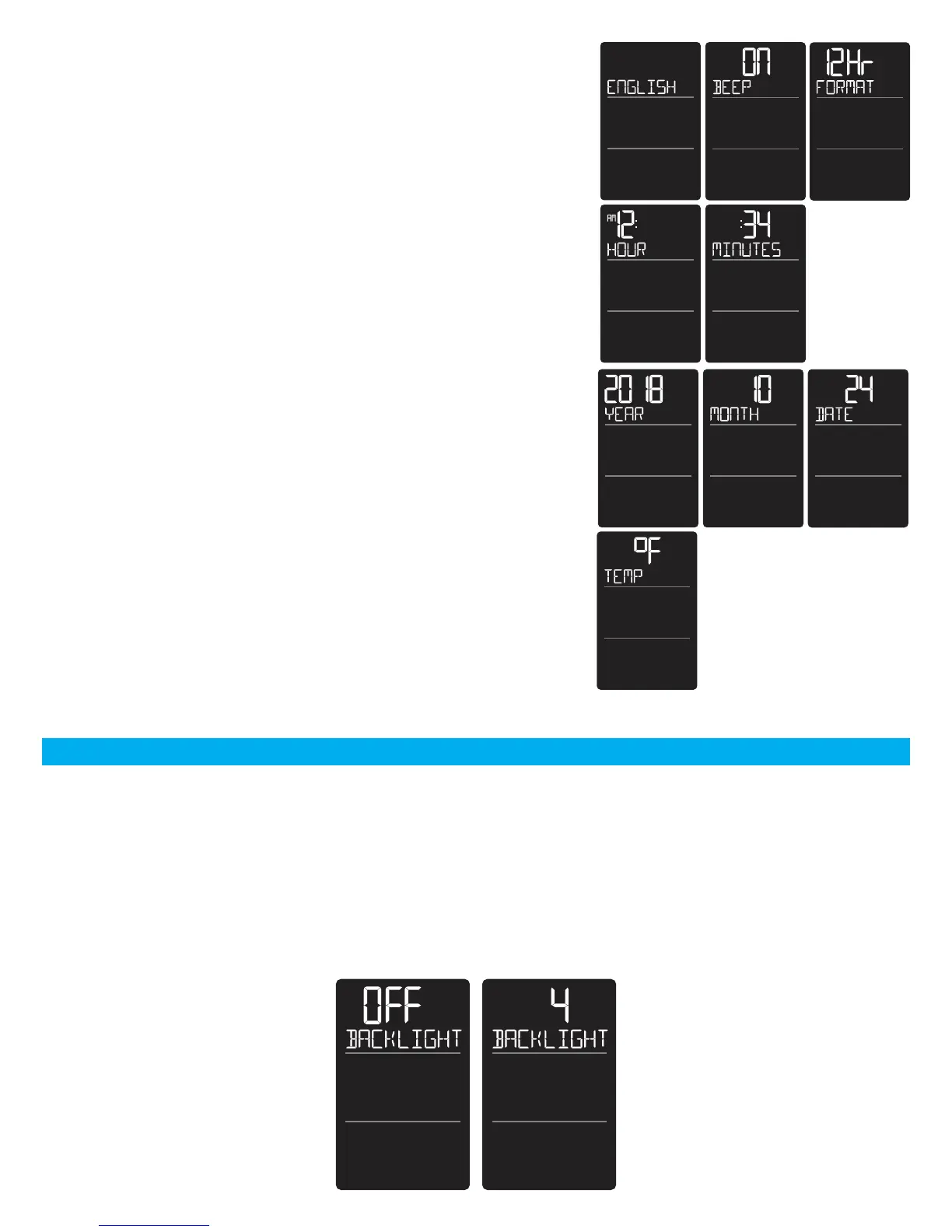
12Hr FORMAT will show. 12HR flashes. Press the + or - button
to turn select 24 hour time format. Press SET to confirm and
move to the hour.
HOUR will show. The hour flashes. Press the + or - button to
choose the hour.
4. Press SET to confirm and move to the minutes. The MINUTES
will show. Minutes flash. Press the + or - button to choose the
minutes.
5. Press SET to confirm and move to the year. The YEAR 2018
will show. Year will flash. Press the + or - button to change the
year.
6. Press SET to confirm and move to the month. The MONTH
will flash. Press the + or - button to change the month.
7. Press SET to confirm and move to the date. DATE will flash.
Press the + or - button to change the date.
8. Press SET to confirm and move to the temperature unit. TEMP
°F will show. °F will flash. Press the + or - button if you prefer
°C (Celsius).
9. Press SET to confirm and exit.
Note: After 10 seconds with no button press, your station
returns to normal time display.
ADJUSTABLE BACKLIGHT
Your Backlight may be turned OFF and adjusted to 4 levels of brightness.
To adjust brightness:
1. Press and release the LIGHT button to adjust backlight brightness.
2. The word BACKLIGHT and the setting will show.
3. Once you have the desired backlight brightness, stop pressing buttons.



 To Next Page