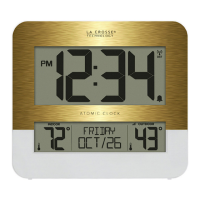
La Crosse Technology, Ltd Page 2
Factory Restart:
1. Remove all power from the clock.
2. Press one of the buttons on the clock at least 20 times to clear all the memory.
3. Verify that the clock is blank before proceeding (there may be lines painted on the
screen that will show when there is no power).
4. Leave without power for 15 minutes (very important).
5. Power up the clock with fresh batteries.
Does the clock have a backlight?
No, it is battery-operated.
Manually Set Time/Date: Program Menu
1. Hold the SET button for 2 seconds to enter settings mode.
2. Press and release the + or - button to adjust the flashing values. Hold to adjust quickly.
3. Press and release the SET button to confirm adjustments and move to the next item.
4. Press and release the SNOOZE/MODE button at any time to exit.
Settings order:
• Hour
• Minutes
• Year
• Month
• Date
Settings Menu
1. Hold the SET button for 2 seconds to enter setting mode. The Hour will flash. Press
and release the +/UP or -/DOWN button to choose the hour.
2. Press and release SET to confirm and move to the minutes. The Minutes will flash.
Press and release the +/UP or -/DOWN button to choose the minutes.
3. Press and release SET to confirm and move to the year. 2024 will flash. Press and
release the +/UP or -/DOWN button to change the year.
4. Press and release SET to confirm and move to the month. The M will show. The Month
will flash. Press and release the +/UP or -/DOWN button to change the month.
5. Press and release SET to confirm and move to the date. D will show. The Date will
flash. Press and release the +/UP or -/DOWN button to change the date. Press and
release the SET button to confirm and exit.
Note: After 10 seconds with no button press, the station returns to normal time display.
Set Time Alarm
1. Hold the ALARM button until the display changes to enter the Alarm Settings. “AL” will
show in the lower right corner.
2. Press and release the + or - button to adjust values.



 To Next Page