Need help?
Do you have a question about the La Crosse Technology W72258 and is the answer not in the manual?
Guide to entering settings mode, adjusting values, and confirming changes for time and date.
Defines the sequence for setting Hour, Minutes, Year, Month, and Date via the settings menu.
Instructions on how to access alarm settings and adjust alarm values using buttons.
Details on how to activate, deactivate, and recognize an active alarm state with an icon.
Procedure for silencing an active alarm for 10 minutes or silencing it for 24 hours.
Clarifies that the clock is battery-operated and does not feature a backlight.
Explains that the day of the week is auto-set based on the year, month, and date settings.
Troubleshooting steps for missing segments on the digital display, often power-related.
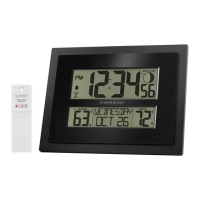
This document provides a comprehensive guide for the W72258 digital clock, covering its functions, usage, and maintenance. It's designed to help users troubleshoot common issues and effectively operate their device.
The W72258 is a battery-operated digital clock that displays time, date, and can be set with an alarm. It's designed for ease of use with a straightforward button interface for setting various parameters. The clock's core function is to provide accurate time and date information, with an added alarm feature for daily reminders.
The clock offers several user-friendly features for setting and managing time and alarms:
The clock features five primary function buttons:
The document emphasizes several maintenance aspects, primarily focused on power and troubleshooting display issues:
By following these guidelines, users can ensure the longevity and accurate functioning of their W72258 digital clock.
 General
| Display Type | LCD |
|---|---|
| Backlight | Yes |
| Time Zones | Multiple |
| Calendar | Yes |
| Time Display Format | 12/24 Hour |
| Color | Black |
| Power Source | Battery |


 To Next Page