
 Need help?
Do you have a question about the La Crosse M74863 and is the answer not in the manual?
Instructions for powering the outdoor sensor and weather station using batteries and adapter.
Steps to search for and connect the outdoor sensor to the weather station.
Explanation of the low battery icon for sensors and station.
Guide to navigating and using the weather station's settings menu.
Details on how the station receives and displays atomic time signals.
How to adjust the display backlight intensity to one of four levels.
How to program automatic dimming for the display during specific hours.
How indoor humidity levels are indicated for comfort.
Explanation of the moon phase display and its basis on the lunar calendar.
How the forecast scene changes seasonally based on pre-programmed dates.
Explanation of the icons used for weather forecasts.
Information about the barometric pressure reading and tendency.
How to read the graph showing air pressure changes over 24 hours.
How to view and reset historical temperature and humidity records.
How to set up and manage custom alerts for weather conditions.
How to add, view, and delete extra sensors for the station.
Steps to resolve issues with the outdoor sensor connection.
Explanation of the low battery icon for sensors and station.
Information on contacting La Crosse Technology via social media.
Contact details and support hours for customer assistance.
Technical specifications for the weather station and outdoor sensor.
Guidelines for battery replacement, cleaning, and product care.
Warning regarding chemicals in the product for California residents.
Details about the product's limited time warranty.
Compliance information regarding FCC rules for radio frequency emissions.
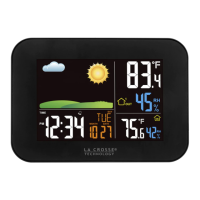
This document serves as a comprehensive guide for the La Crosse Technology Wireless Weather Station, Model M74863, providing instructions for setup, operation, and troubleshooting. The device offers a range of features designed to keep you informed about indoor and outdoor weather conditions, as well as providing accurate time and date information.
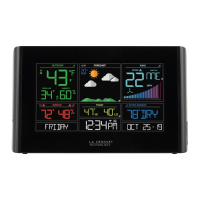
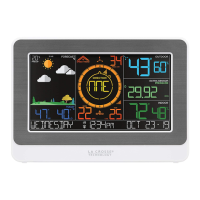
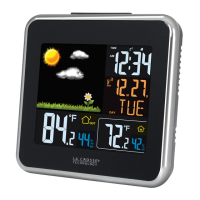
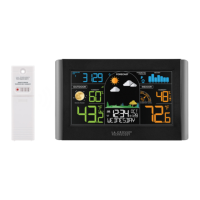
The La Crosse Technology Wireless Weather Station is a sophisticated device that monitors and displays various environmental data points. Its primary function is to provide real-time weather information, including outdoor and indoor temperature and humidity. It also features a weather forecast function, which predicts conditions for the next 12 hours based on an internal barometer. A key feature is its Atomic Time and Date capability, ensuring highly accurate timekeeping through synchronization with the WWVB Atomic Time Signal. The station also tracks barometric pressure and displays a history graph of pressure changes over 24 hours. Additionally, it includes a moon phase display based on the lunar calendar and a seasonal foliage scene that changes throughout the year. Customizable alerts for temperature and humidity allow users to set specific thresholds and receive notifications when these are met. The station can also be expanded to include data from add-on rain gauges and up to three additional temperature and humidity sensors, providing a more comprehensive environmental monitoring system.
Power Up: To begin using the weather station, first insert two AA batteries into the outdoor sensor. Next, plug the 5.0V Power Adapter into a working outlet and then into the back of the weather station. For backup power, you have the option to insert three AA batteries into the weather station. Once the outdoor sensor is successfully transmitting data to the station, place it in a shaded outdoor location to protect it from direct sunlight.
Settings Menu: The settings menu allows for extensive customization of the weather station. To access it, hold the SET button until the display changes. Use the +/- buttons to adjust values and press SET to confirm and move to the next setting. The LIGHT button can be pressed at any time to save changes and exit the menu. The settings order includes:
Atomic Time: The station automatically searches for the Atomic Time Signal at UTC 7:00, 8:00, 9:00, 10:00, and 11:00. You can manually start or stop a search by pressing the SET button. The tower icon will flash during a search and become solid once the signal is received.
Adjustable Backlight: Adjust the display's backlight intensity by pressing the LIGHT button. There are four brightness levels available, plus an off option.
Auto-Dim Settings: Program the display to automatically dim during specific times. Hold the LIGHT button until the Auto-Dim Settings appear. Use the +/- buttons to turn the feature on or off, and then to adjust the starting and stopping hours. Press LIGHT to confirm each setting.
Indoor Comfort Level: Arrows on the display indicate your indoor comfort level based on relative humidity, helping you maintain a comfortable and safe home environment. The comfort levels are categorized as Wet (10-25%RH), Good (26-39%RH), Good (40-75%RH), Good (76-83%RH), and Dry (84-99%RH).
Moon Phase & Seasonal Foliage: The weather station displays the current moon phase, which is calculated based on the lunar calendar and your set year, month, and date. Additionally, the forecast section features a seasonal foliage scene that changes automatically according to pre-programmed dates, reflecting the time of year (Spring, Summer, Fall, Winter).
Forecast Icons: The station uses its internal barometer to predict weather conditions for the next 12 hours, displaying them with intuitive icons. The Snow Icon appears when temperatures are below 32°F (0°C) and rain or storms are predicted. The Sun Icon is shown during daylight hours (7am to 6:59pm) for clear or partly clear forecasts, while the Moon Icon is displayed during nighttime (7pm to 6:59am) for similar conditions.
Pressure Number & History Graph: Your relative pressure reading is derived from the station's internal barometer. Allow up to 10 days for automatic calibration, or manually program your local pressure value in the Settings Menu. Arrows on the left of the display indicate rising or falling pressure tendencies. The Pressure History Graph, read from left to right, illustrates the rise and fall in air pressure over the past 24 hours.
History Records: From the normal time display, press and release the HISTORY button to cycle through indoor/outdoor temperature and humidity records, complete with time and date stamps. The viewing order includes outdoor high/low temperature and humidity, indoor high/low temperature and humidity, heat index, and dew point.
Customizable Alerts: Set custom alerts for various parameters. Hold the ALERTS button until the display changes to Alert Settings. Use the +/- buttons to activate/deactivate and adjust alert settings, then press ALERTS to confirm. Programmed alerts are active when the alert icons appear on the LCD. Alert settings include outdoor low/high temperature, outdoor high/low humidity, indoor low/high temperature, and indoor low/high humidity. When an alert value is reached, the station will beep five times per minute until the value is out of range. Press any button to stop the sound, but the alert icon will continue flashing.
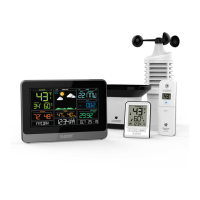
Extra Sensor Area: The station can display data from add-on rain gauges and up to three additional temperature and humidity sensors. To add extra sensors, install batteries into the sensor(s), ensuring different channels (1, 2, 3) are selected for Temp/Humidity sensors. Hold the EXTRA button on the station until the reception indicator animates, initiating a search. Once connected, press EXTRA to cycle through extra sensor and pressure data. The Auto Scroll Icon will appear when activated. To delete a sensor, view it using the EXTRA button and then hold the - (MINUS) button.
Resetting Individual Records: To reset a specific history record, press and release the HISTORY button until the desired value is displayed. Then, hold the - (MINUS) button until dashes appear, indicating the value has been reset.
Troubleshooting - Search for Outdoor Sensor: If you see "NO" or dashes for outdoor readings, try the following:
Low Battery Indicator: A low battery icon will appear next to the outdoor temperature, indoor temperature, or in the extra area to indicate that batteries need to be replaced in the respective sensor or the weather station itself.
Note: When programming the station, press or hold one button at a time.
 General
| Model | M74863 |
|---|---|
| Category | Weather Station |
| Display Type | LCD |
| Indoor Temperature Range | 32°F to 122°F (0°C to 50°C) |
| Outdoor Temperature Range | -40°F to 140°F (-40°C to 60°C) |
| Wireless Transmission Frequency | 433 MHz |
| Brand | La Crosse |
| Humidity Range | 10% to 99% |
| Wireless Transmission Range | 300 feet (91 meters) |
| Power Source (Sensor) | 2 "AA" Batteries (not included) |
| Features | Atomic Time, Calendar, Indoor/Outdoor Temperature and Humidity, MIN/MAX Records, Trend Indicators, Low Battery Indicator |
| Temperature Resolution | 0.1°F |
| Humidity Resolution | 1% |

 To Next Page