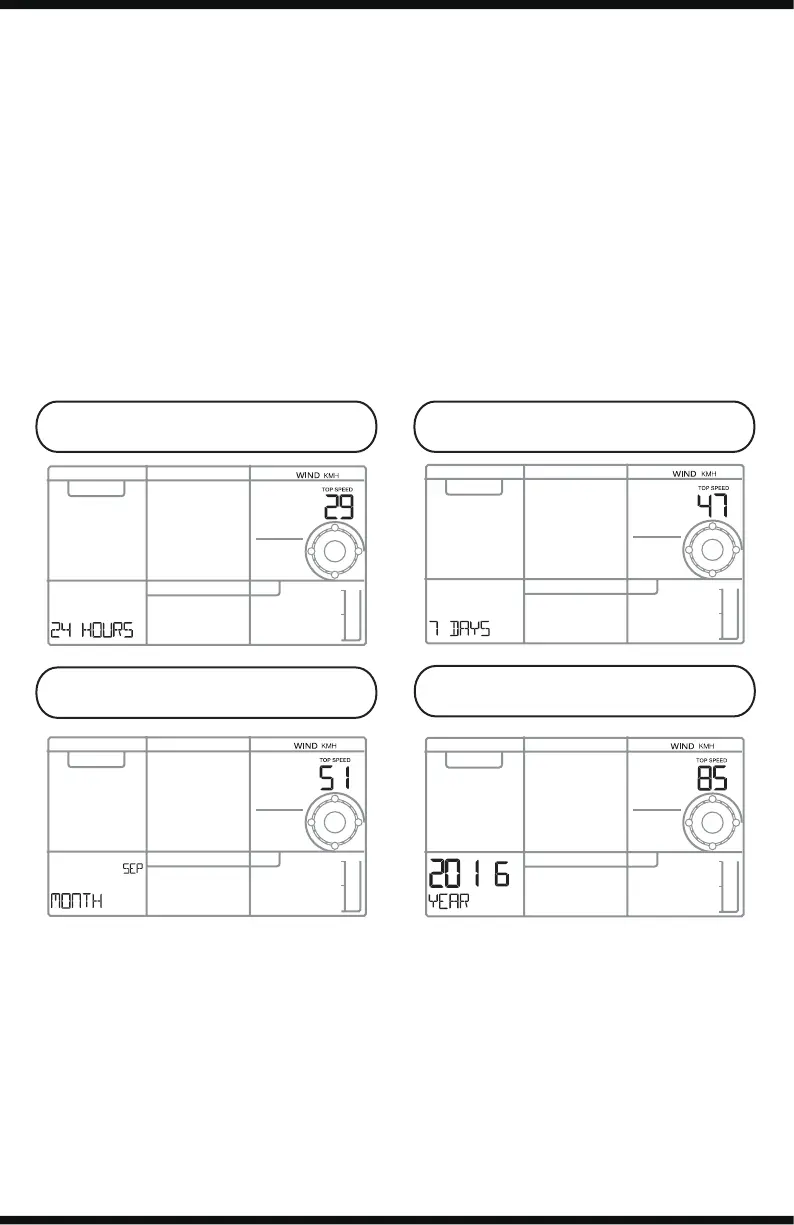
Wind History
Press and release the WIND button to view the maximum wind history
values.
• One Hour: past 60 minute period (default Top Speed record,
already shown)
• 24-hour: Past 24 hour period, from last record
• 7 Days: Past 7-day period, from last record
• Month: Defined by Calendar Month i.e. January 1 - January 31
• Year: Defined by Calendar Year i.e. January 1 - December 31
Reset Wind Speed History:
• Press the WIND button to view individual wind speed readings.
• Hold the MINUS button for five seconds to reset the individual value.
• Wind speed reading will reset to current wind speed.
Rain Readings | History
Press and release the RAIN button to view:
• One Hour: past 60 minute periods, from last record
• Day: 24 hr period from 12:00am - 11:59pm. With current date
• 24-hour: Past 24 hour period, from last record.
• 7 Days: Past 7-day period, from last record
• Month: Defined by Calendar Month i.e. January 1 - January 31.
• Year: Defined by Calendar Year i.e. January 1 - December 31.
• Total: running total since station was powered up (no time stamp)
WS6867 Page | 6
24 Hours 7 Days
Month
Year



 To Next Page