SCADA INTERFACE INSTRUCTIONS - OPTION 21Q - FOR A36D/TPSD SYSTEMS/341S
Page 4 of 10
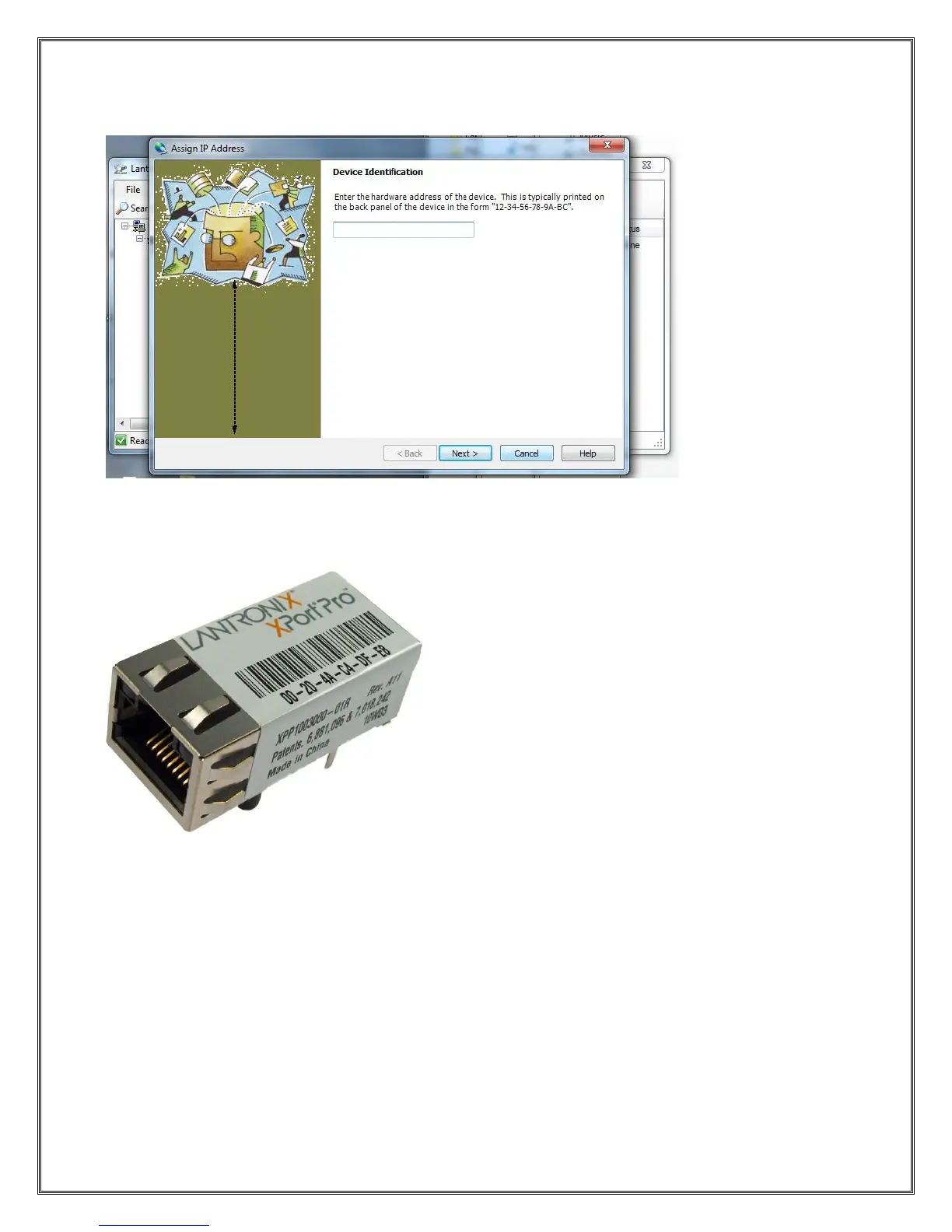
To assign the desire IP settings press the Assign IP button on the Toolbar. This will bring up the
following screen:
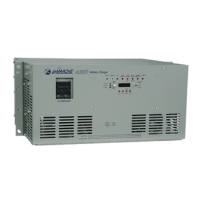
The Device Identification is located on the device itself as described in the dialog text above. An example
of the Lantronix device is pictured below.
In the example above the Device Identification would be 00-20-4A-C4-DF-E8. Note this is unique to each
device. After entering the ID press Next.



 To Next Page