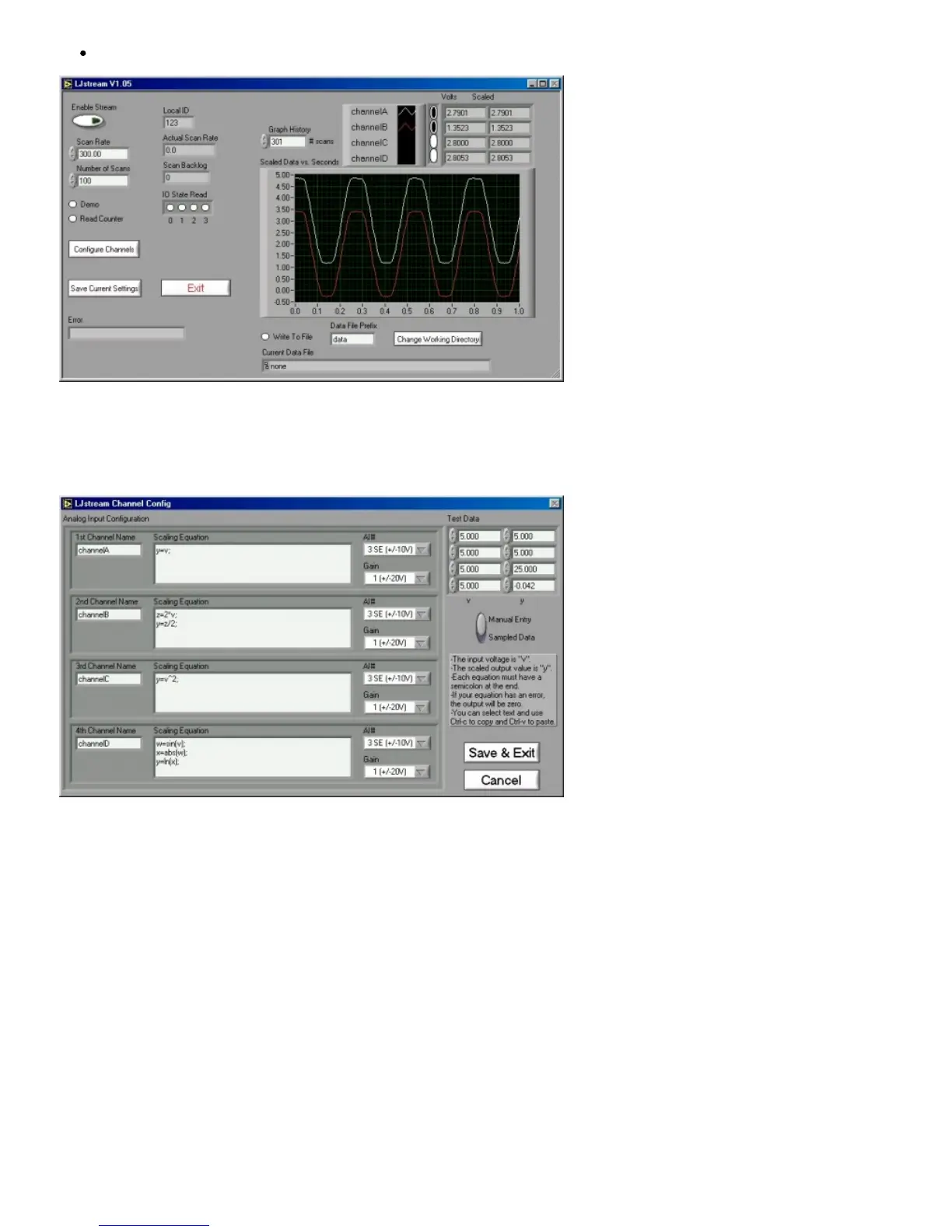
Graph History: Determines how much past history appears on the graph.
Figure 3-12. LJstream
Figure 3-13 shows the LJstream channel configuration window. Here you can select analog inputs and gains and enter scaling
equations. Use “Test Data” to see the effect of the scaling equations (“v” column is the measured voltage and the “y” column is the
output of the scaling equations). “Manual/Sampled” determines where the “Test Data” in the “v” column originates.
Figure 3-13. LJstream Channel Configuration
3.7 - LJtest
LJtest runs a sequence of tests on the LabJack itself. Users will generally leave “Test Fixture Installed” unselected and execute the
tests with nothing connected to the LabJack (except the USB of course).
Note that the U12 is not the “Test Fixture”. Rather, the U12 is the device under test (DUT) and might connect to a test fixture.
LJtest is installed as part of the normal U12 software package. It can typically be run by doing Start => Programs => LabJack U12
Legacy => Legacy U12 Samples => LJtest.


 To Next Page