Need help?
Do you have a question about the Labpano Pilot One and is the answer not in the manual?
Lists all included accessories such as adapter, cable, pouch, cloth, rod, and documentation.
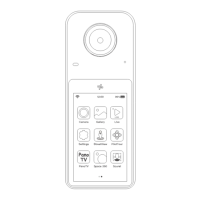
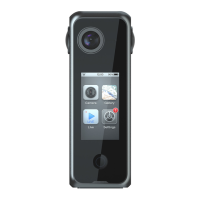
Diagrams illustrating the physical layout and numbered components of the Pilot One camera.
Detailed technical specifications including sensor, lens, screen, resolution, storage, and connectivity.
Important preparatory steps and warnings before using the camera for the first time.
Instructions for powering the camera on, off, and restarting it.
Describes the main screen layout and how to navigate applications and set screen timeout.
Information on downloading and connecting the Pilot Go app for remote control and management.
 General
| Camera Type | 360-degree camera |
|---|---|
| Effective Pixels | 20 MP |
| Aperture | f/2.2 |
| Video Format | MP4 |
| ISO Range | 100-3200 |
| Connectivity | Wi-Fi, Bluetooth, USB-C |
| Image Sensor | 1/2.3 inch |
| Lens | Fisheye lens |
| Video Resolution | 3840 x 1920 |
| Photo Format | JPEG |
| Operating Temperature | 0°C to 40°C |
| Field of View | 360 degrees |

 To Next Page