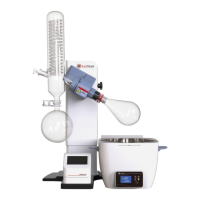
The LabTech DigiBlock is a sample preparation system designed for laboratory use, offering efficient and controlled heating for various digestion and sample preparation applications. It is available in different series, including ED-S and EHD, with models like ED16S, ED36S, ED54S, and their iTouch counterparts, as well as EHD36S.
Function Description
The DigiBlock system functions as a heating block, providing precise temperature control for sample digestion. It is designed to prepare samples by heating them to specific temperatures for defined durations, facilitating chemical reactions necessary for subsequent analysis. The system can be controlled either via a built-in CAL3300 controller or a separate iTouch controller, depending on the model. The iTouch controller offers an intuitive graphical interface for setting up and monitoring heating programs.
Usage Features
The DigiBlock offers several user-friendly features for operation:
- Temperature Control: The system allows for precise temperature setting and control. For models with the CAL3300 built-in controller, users can change the setpoint by pressing and holding the '*' button, then using the up or down arrows to adjust the temperature. Display resolution can be selected between 1°C and 0.1°C by entering program mode and navigating to the 'diSP' setting.
- Program Ramping: The CAL3300 controller supports program ramping, allowing users to define a slope for temperature increase (0-150°C/Hour) and a soaking time (0-1440 minutes) after reaching the setpoint. This feature enables multi-step heating programs.
- iTouch Separate Controller: For models equipped with the iTouch controller, operation is simplified through a touch-screen interface. Users can connect the iTouch controller to the main DigiBlock unit, and the screen becomes ready for operations upon power-on.
- Temperature Control Range: The iTouch controller supports a temperature control range from room temperature up to 210°C or 415°C, depending on the specific DigiBlock model.
- Heating Steps: Users can set up programs with 1 to 15 heating steps. Each step allows for a time setting from -2 to 9999 minutes.
- "-2" indicates maximum heating speed to reach the temperature setpoint.
- "-1" signifies the end of the program.
- "0" means maintaining the previous step's time setting.
- Sensor Mode: The iTouch controller can utilize either a built-in K-type sensor or an optional PT100 external sensor for temperature measurement.
- Main Interface: The main interface displays the actual temperature, setpoint temperature for the running step, output power percentage, and allows access to heating graphs and method setup. It also shows the running step number, total steps, actual running time, set time for the current step, and total running time for the method.
- Method View Interface: This interface allows users to select predefined categories (Soil, Food, Water, EPA, Customize) and choose between Method 1 or Method 2 within each category. A graphical representation of the heating curve is displayed for review. Users can save a desired method to run.
- Method Setup Interface: In this interface, users can edit parameters for each step, including temperature and heating time. For instance, a soil digestion method can be configured to heat from room temperature to 100°C at maximum speed, hold at 100°C, then increase to 150°C, and hold again. The "Next" button allows navigation through multiple steps, and changes can be saved.
- Program Execution: Once a method is selected and saved, it can be started from the home page by touching "RUN." The system will execute the defined heating steps. Upon completion of all steps, the unit will stop, and an audible buzzer will sound, which can be stopped by touching any key.
Maintenance Features
To ensure optimal performance and longevity of the DigiBlock, certain maintenance practices are recommended:
- Surface Cleaning: It is important to keep the surface of the ED series DigiBlocks clean, especially the corrosion-resistant models. Regular inspection and cleaning of the surface are advised.
- Acid Splash Prevention: Users should take precautions to avoid acid splashes on the unit during operation, as this can affect the coating and overall integrity.
- Troubleshooting - Surface Coating Changes:
- If the surface coating darkens, it is typically due to high-temperature crystallization and reorganization of the coating, which does not affect usage.
- If the coating turns white, it indicates decomposition of the coating's pigment due to super high temperatures. This also generally does not affect usage, provided the unit is operated within its safe working temperature range.
- Troubleshooting - Coating Desquamation: The surface coating of ED series products is designed to be scratch-resistant. If it is scratched, the underlying material may be corrupted, leading to the corrosion-resistant coating scaling off.
- Troubleshooting - Jumping Display Temperature:
- First, verify that the power supply's ground wire is properly connected.
- If the ground connection is secure, try turning off the power supply for a minute and then turning it back on.
- If the issue persists, check the surrounding environment for strong interference sources that might be affecting the temperature display.
The DigiBlock is designed for reliable and precise sample preparation, with features that support both simple and complex heating programs, and clear guidelines for maintenance and troubleshooting.

 Need help?
 General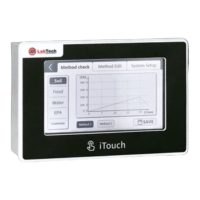

 To Next Page