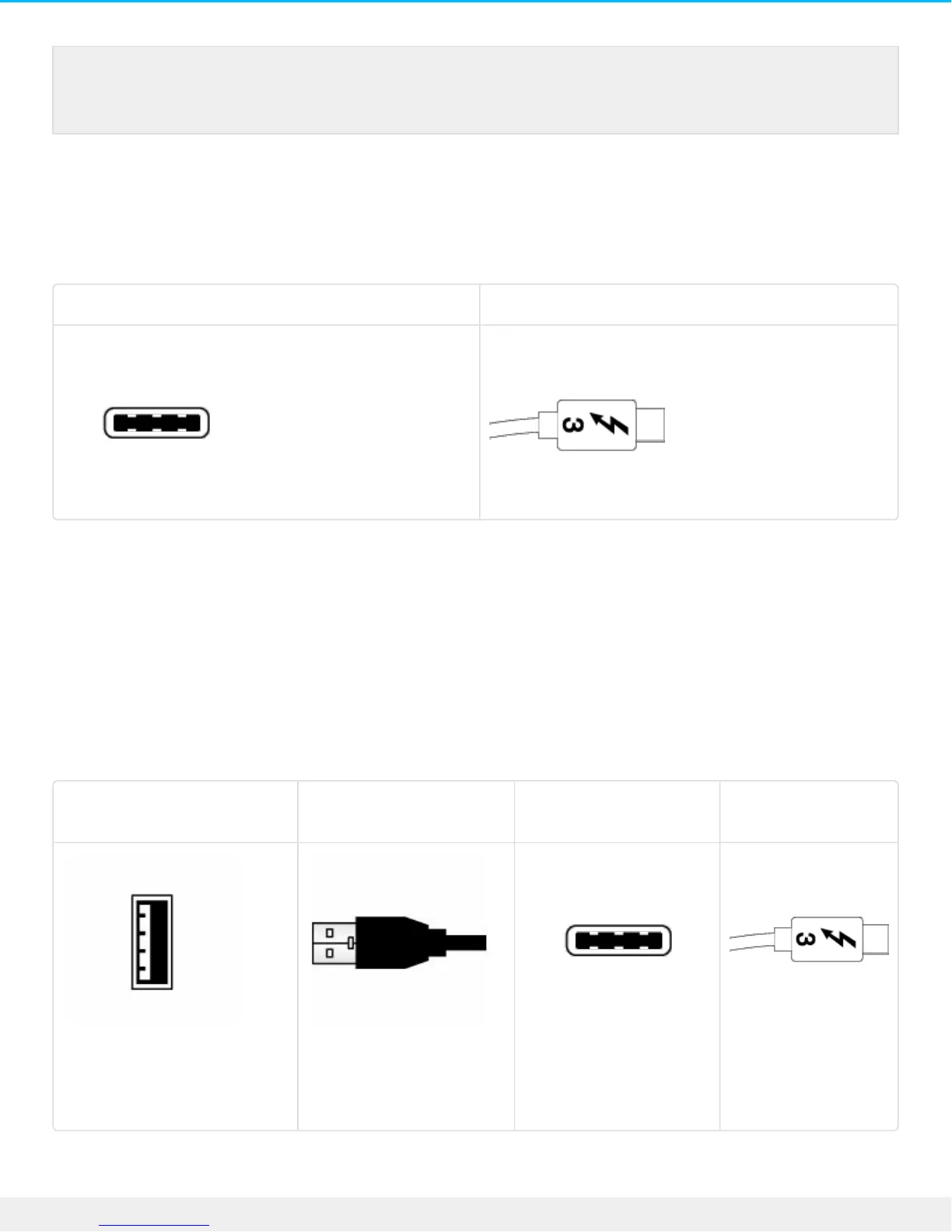
Connecting your product is easy since the USB-C cable is identical on both ends. Further, the USB-C ports
on your LaCie hard drive and computer are conveniently rounded to accept the cable end no matter how it
is connected. This cable can be connected to either the port marked USB 3.1 or either of the Thunderbolt 3
ports on the back of the device.
Connector face Cable end
USB 3.1 (USB-C)–to–USB Type A cable
Use the USB 3.1 (USB-C)–to–USB Type A cable for compatibility with computers that do not have a USB-C
port. The USB-C end is connected to the LaCie hard drive and the Type A end is connected to the
computer’s USB 3.0 or USB 2.0 Type A port.
Hard drive performance is limited to USB 3.0 transfer rates when connected to a USB 3.0 port and, USB 2.0
transfer rates when connected to a USB 2.0 port.
Connector face (USB Type A
to computer)
Cable end (USB Type A
to computer)
Connector face (USB-C
to product)
Cable end (USB-C
to product)
Use the included Thunderbolt 3 (USB-C) cable to ensure maximum data transfer performance
when used with compatible ports.









 To Next Page