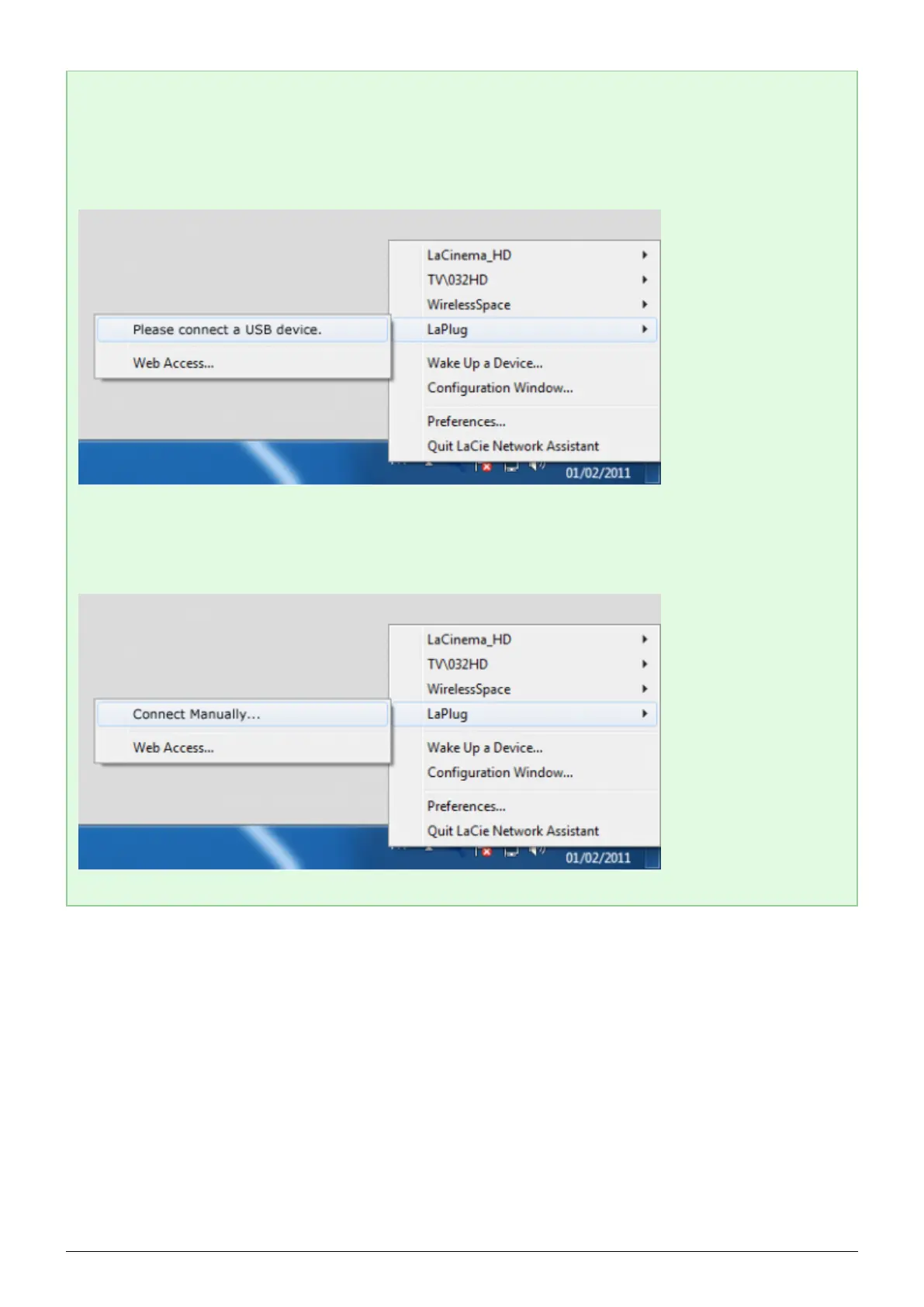
Technical note: Error notices in LaCie Network Assistant instead of USB device listing:
If no USB device is recognized, instead of the USB device name, you will see the text Please connect a
USB device. Make sure your device is connected and that it has been formatted. Refer to your device's user
manual for formatting procedure.
If you see the text Connect Manually instead of the USB device name, click Connect Manually. A Finder
window (Mac) or Explorer window (PC) will open, listing all the USB devices connected to your LaPlug.
LaPlug User Manual LaCie 12


 To Next Page