ADMINISTER THE LAPLUG
The LaCie LaPlug features an easy-to-use browser-based tool for configuring the drive called the Dashboard.
DASHBOARD - ACCESSING
There are two ways to access the Dashboard, using the LaCie Network Assistant and using a browser.
Use LaCie Network Assistant
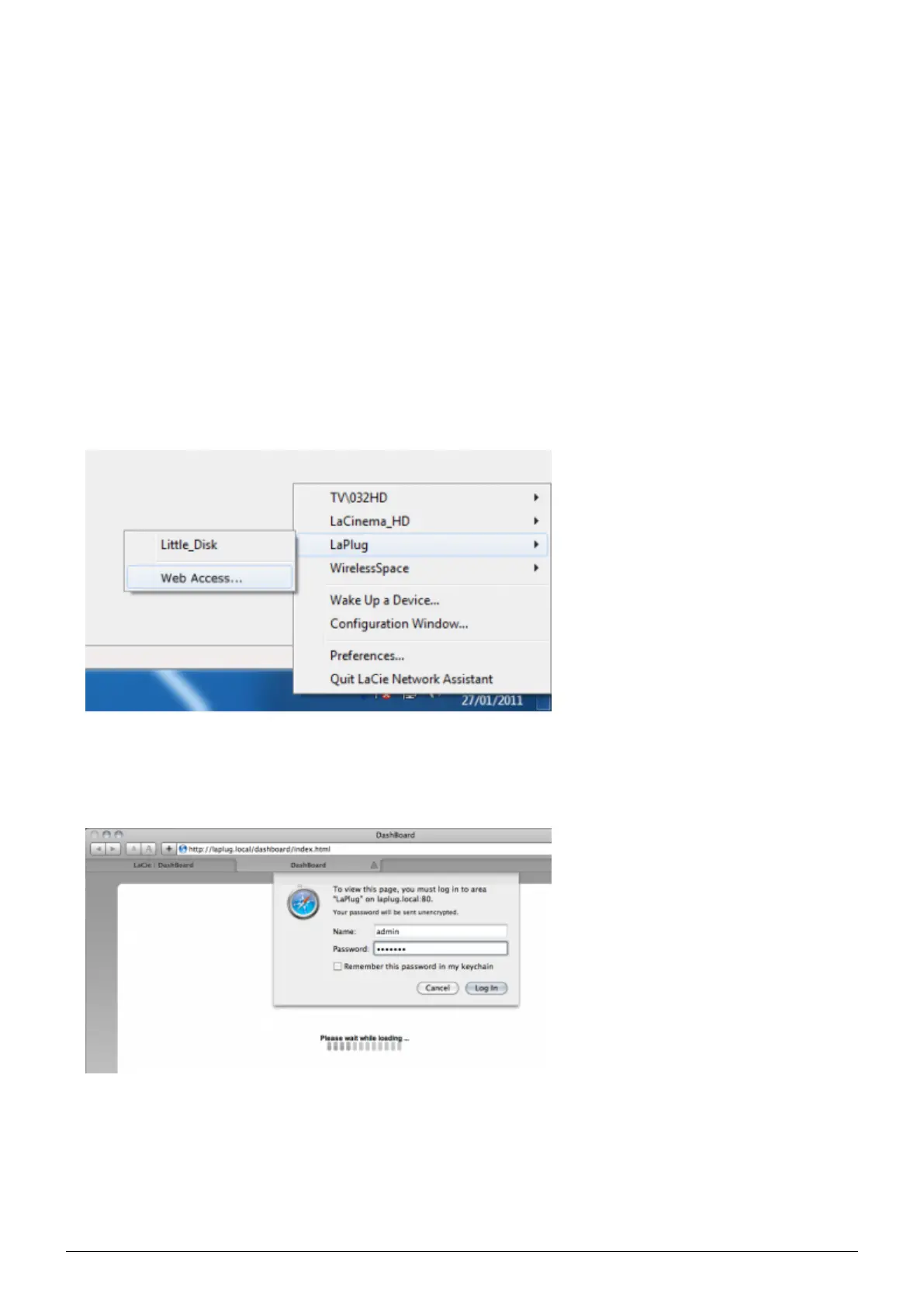
Click on the LaCie Network Assistant icon in the system tray (Windows users) or menu bar (Mac users) and1.
select LaPlug > Web Access.
The LaCie LaPlug login page will open in a new browser window or tab. If your browser is not open, LaCie2.
Network Assistant will open it for you.
In the login prompt, enter your username and password (case sensitive; default is admin/admin).3.
Click Log in.4.
LaPlug User Manual LaCie 16


 To Next Page