MEDIA SERVERS
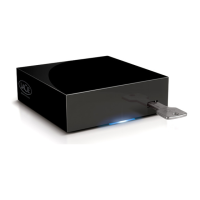
Once you have established the network connection between your computer and the LaPlug, you can configure
your LaPlug to share files to UPnP/DLNA devices. Follow these steps:
Make sure the USB device is properly connected to the LaPlug, and that the LaPlug is connected to your1.
home network as described in Installation.
Enable Media Servers on the Dashboard (see Dashboard - General Settings).2.
Make sure that one of the attached USB devices has been assigned as the Master volume (see Dashboard -3.
Drives.
Now you will be able to play files located on USB devices connected to your LaPlug on any other4.
UPnP/DLNA-certified player/adapter (such as an XBox 360, Play Station 3, a DLNA mobile phone, etc.).
LaPlug User Manual LaCie 38


 To Next Page