11
ASSEMBLY
(continued)
ATTACH THE MITER GUIDE
1. Attach the miter guide (10) by engaging
the groove (C) on the underside of the
miter with the front rail.
2. Tighten in place using the miter lock
knob (D).
FIGURE 12
FIGURE 13
FIGURE 14
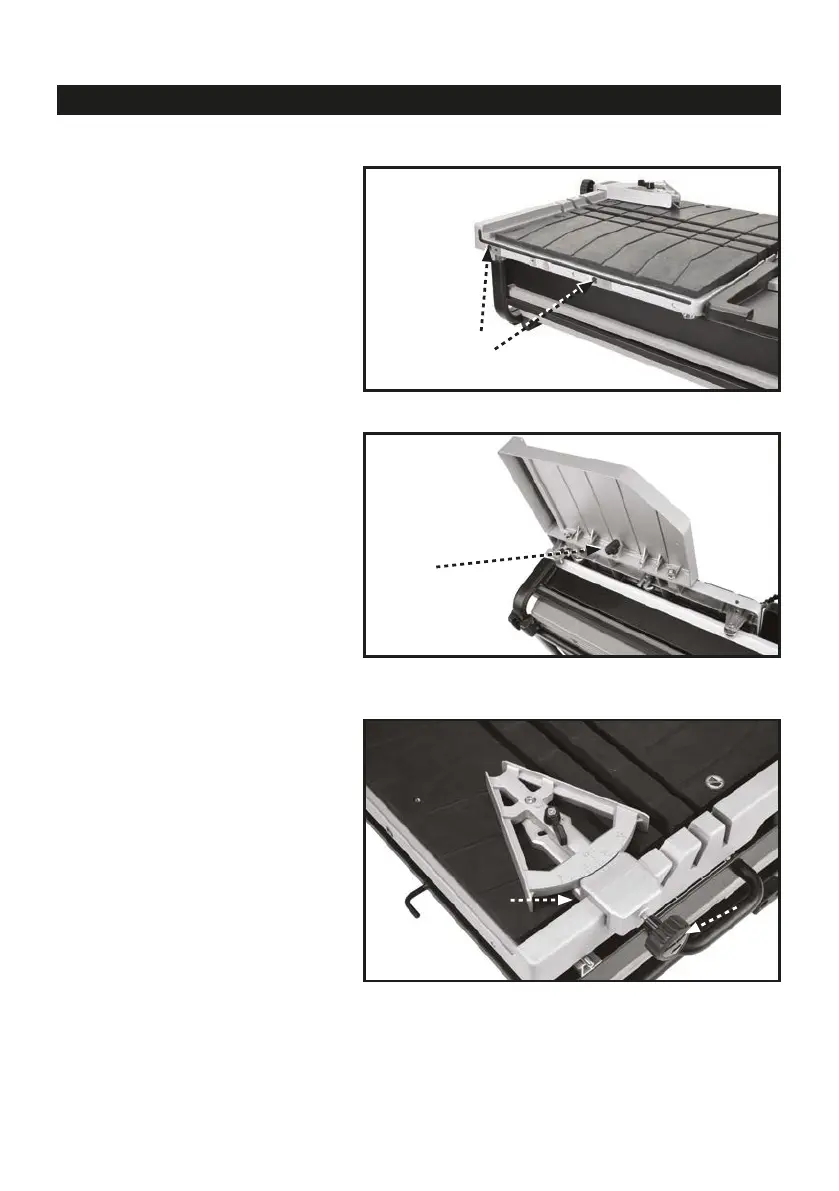
1. The table extension (12) installs on the
right side of the worktable.
2. Position the table extension so that the
two pins on the extension line up with the
two holes (A, Fig. 12) on the worktable as
shown.
3. Engage the pins on the extension with
the holes.
4. Secure the extension to the worktable by
tightening the thumbscrew (B, Fig. 13)
located on the bottom of the extension.
INSTALL TABLE EXTENSION
A
B
D
C
11


 To Next Page